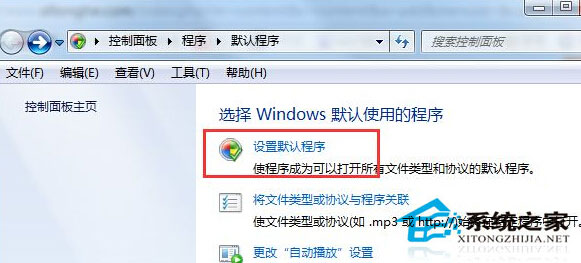
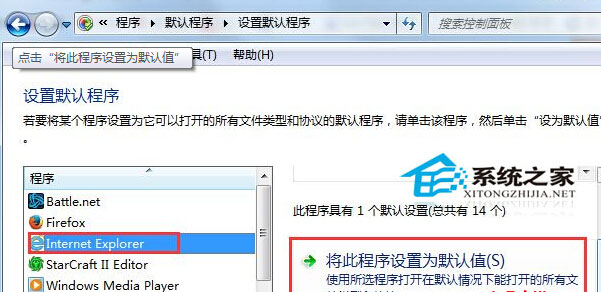
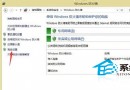
Windows 7 內建 IE 瀏覽器,若 QQ 點擊連結開啟非 IE 瀏覽器,只需將 IE 設為預設瀏覽器。
操作步驟:
之後所有連結 (含 QQ 內連結) 皆以 IE 開啟。
Win 10 小娜沒聲音怎麼辦?設定預設播放裝置即可解決
Win7 如何判斷進程是否為系統關鍵進程?任務管理器「使用者名稱」欄位辨識法
Win10 新功能曝光:持續優化高 DPI 縮放,4K 螢幕支援大幅提升
Win7 頻繁彈出「軟體應用程式不相容」?使用相容性疑難排解自動修復
Win8 快速查看檔案詳細資訊(建立日期、類型、大小)啟用詳細資訊窗格
Win10 內建主題如何備份為 .deskthemepack 檔案?個人化 → 主題設定 → 另存主題分享
Win7 睡眠模式下保持網路連線:啟用 Away Mode 實現邊休眠邊下載
Win7 藍屏錯誤代碼 0x0000007A 三大排查方向(硬碟、病毒、記憶體)