Windows XP Windows 7 Windows 2003 Windows Vista Windows 綜合教學 Linux 系統教學
Windows 10 Windows 8 Windows 2008 Windows NT Windows Server 電腦軟體教學
您现在的位置: Windows教程網 >> Windows教程 >  >> Windows 綜合教學 >> 關於 Windows

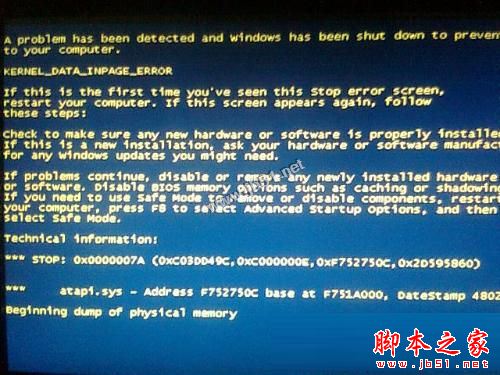
Win7 藍屏錯誤代碼 0x0000007A 三大排查方向(硬碟、病毒、記憶體)

編輯:關於 Windows

Win7 藍屏 0x0000007A (KERNEL_DATA_INPAGE_ERROR) 代表核心從分頁檔讀取資料失敗,極大機率為硬體故障,依序排查:

1. 硬碟壞軌/檔案系統錯誤

系統碟右鍵 → 內容 → 工具 → 檢查 → 掃描並修復(勾選「自動修復檔案系統錯誤」與「掃描並修復壞磁區」)。
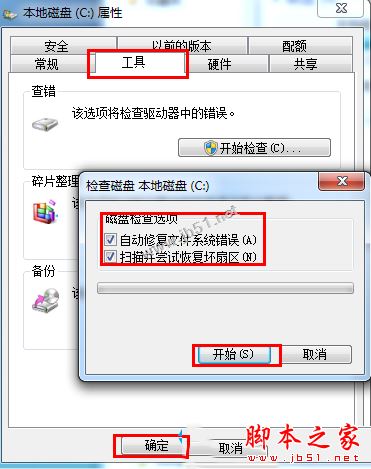
硬碟檢查工具

2. 病毒/惡意軟體破壞系統檔

使用防毒軟體執行 全盤深度掃描,清除發現的威脅。

3. 記憶體模組故障(機率最高)

藍屏多發生於記憶體讀寫錯誤。建議:
• 執行 Windows 記憶體診斷 (mdsched.exe)。
• 若有多支記憶體,單支測試鎖定故障模組。
• 更換新記憶體模組測試。
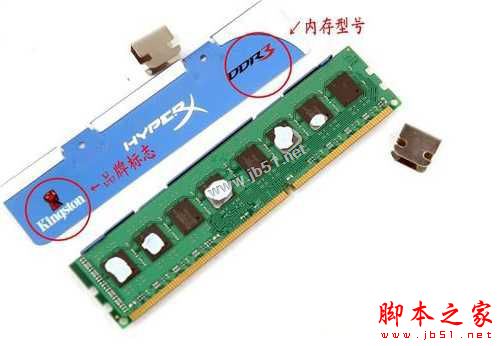
記憶體模組

若上述皆無效,再考慮主機板、電源供應器等其他硬體問題。

藍屏 0x0000007A

Copyright © Windows教程網 All Rights Reserved