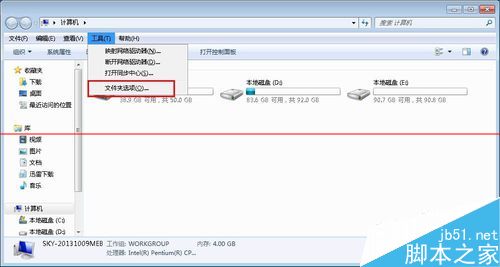
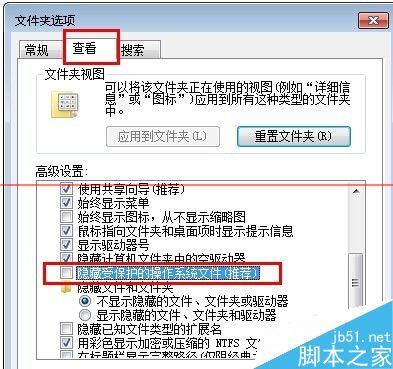
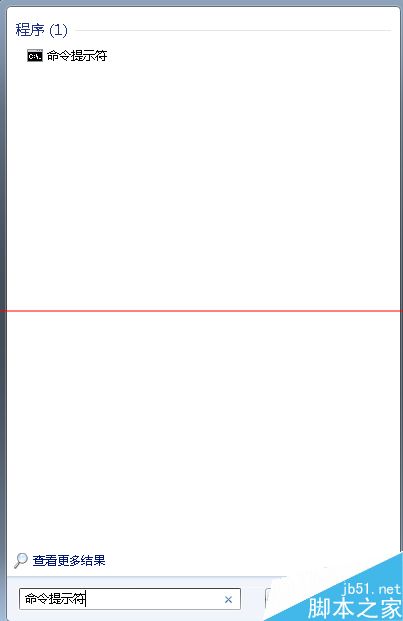
Win7 雙擊桌面圖示打不開,可能因 .exe 關聯損毀或中毒。三大修復法:
autorun.inf
regedit
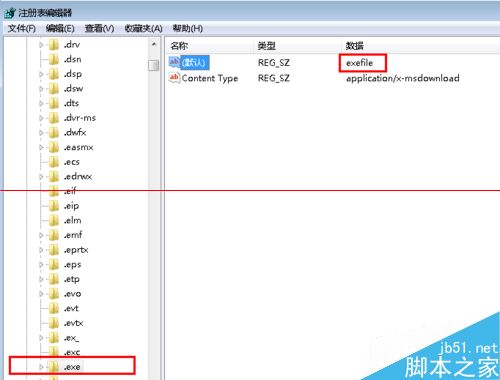
HKEY_CLASSES_ROOT\.exe
exefile
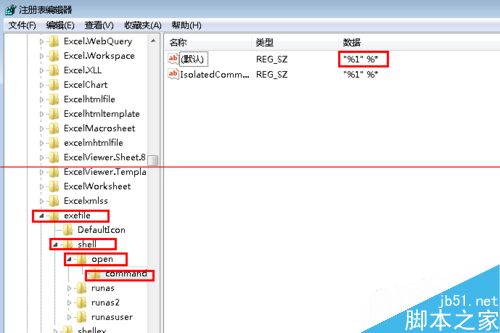
HKEY_CLASSES_ROOT\exefile\shell\open\command
"%1" %*
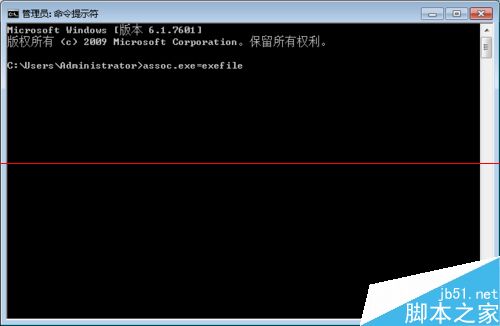
assoc .exe=exefile
相關推薦:Win7 雙擊檔案自動列印怎麼辦?
Win10 查看電腦配置與系統資訊的兩大方法(設定頁與 dxdiag)
Windows 7 內建虛擬無線網路:10 分鐘將筆電變身無線分享器
現有 WP8 手機能否升級 Windows 10?深度分析三大關鍵因素
微軟再推 KB2952664 更新 Win7 助升級 Win10 不想升級請隱藏或移除
Win8/8.1 右鍵選單新增 Windows Defender 掃描功能:註冊表手動部署教學
Win8 IE10 收藏夾漫遊功能設定:切換 Microsoft 帳戶、開啟同步開關、雲端即時同步收藏網址
Windows Server 2008 企業版安裝圖文完整教學
Windows 10 如何移除不需要的內建應用程式?完整卸載教學