Windows XP Windows 7 Windows 2003 Windows Vista Windows 綜合教學 Linux 系統教學
Windows 10 Windows 8 Windows 2008 Windows NT Windows Server 電腦軟體教學
您现在的位置: Windows教程網 >> Windows教程 >  >> Windows 綜合教學 >> 關於 Windows

Windows 10 Build 10130 系統磁碟舊檔案清理教學:磁碟清理工具移除 Windows.old 與更新備份

編輯:關於 Windows

系統碟隨更新殘留 Windows.old 備份與更新封裝,直接刪除需 SYSTEM 權限。使用內建「磁碟清理」工具可安全移除。

清理步驟

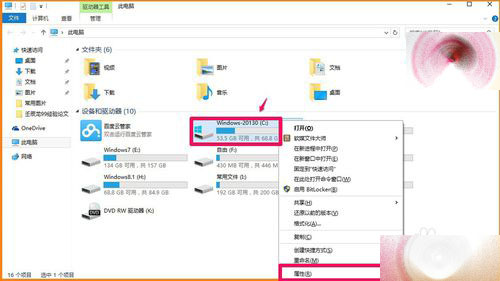
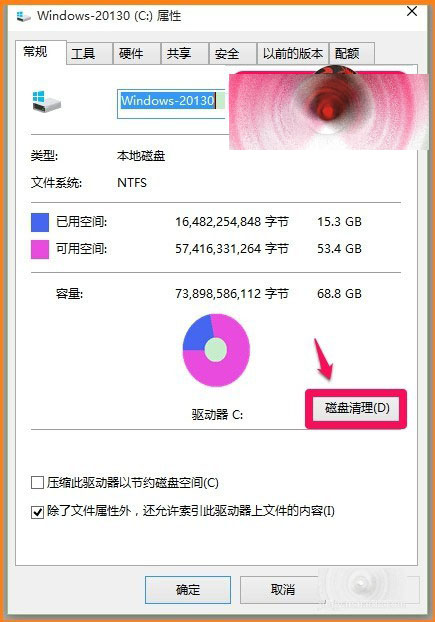
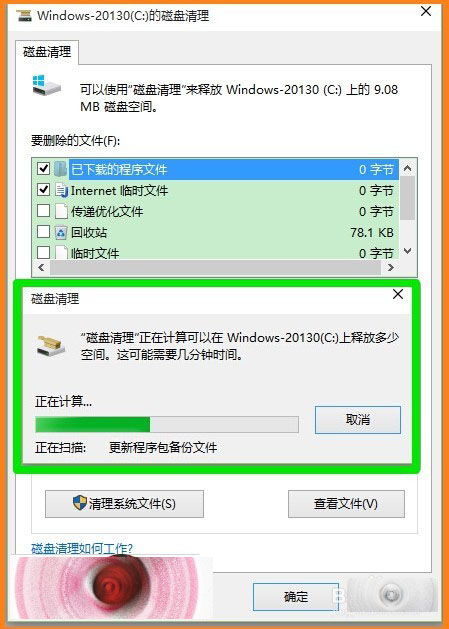
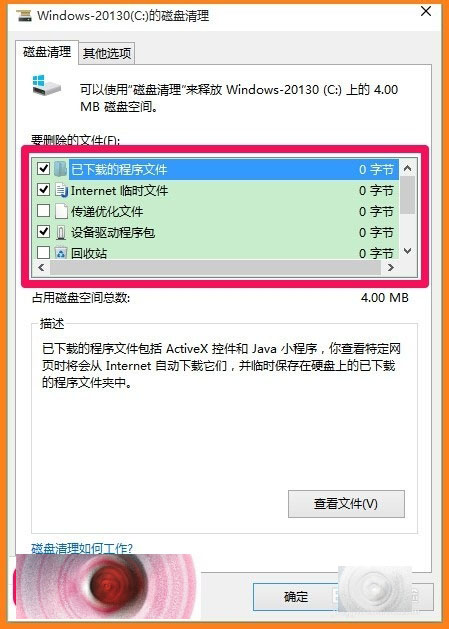
  1. 「這台電腦」 → 系統碟 (C:) 右鍵 → 「內容」 → 「磁碟清理」。
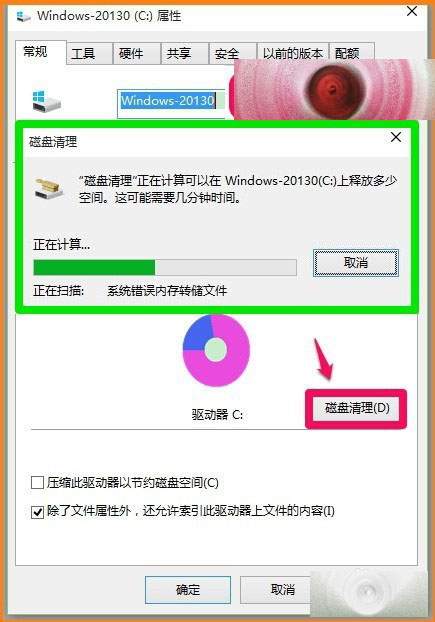
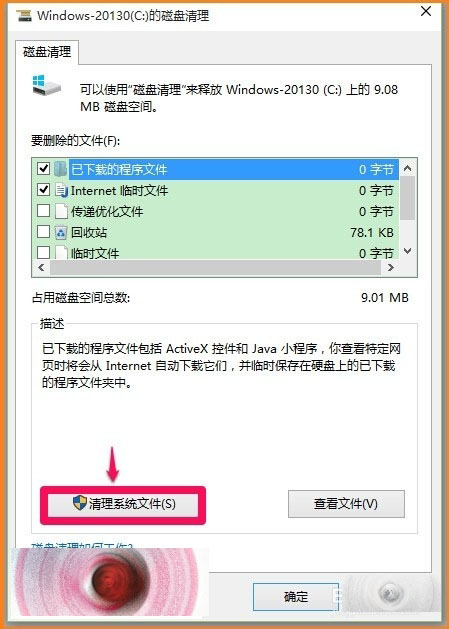
  2. 掃描完成 → 點擊 「清理系統檔案」 (需管理員權限)。
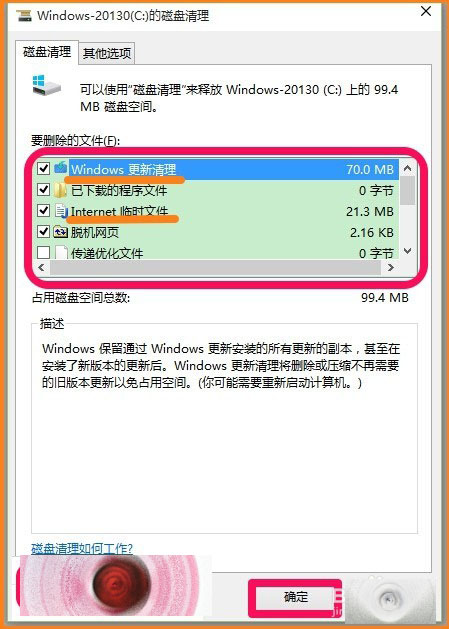
  3. 重新掃描 → 勾選 「Windows 更新清理」、「舊版 Windows 安裝」 等項目 → 確定。
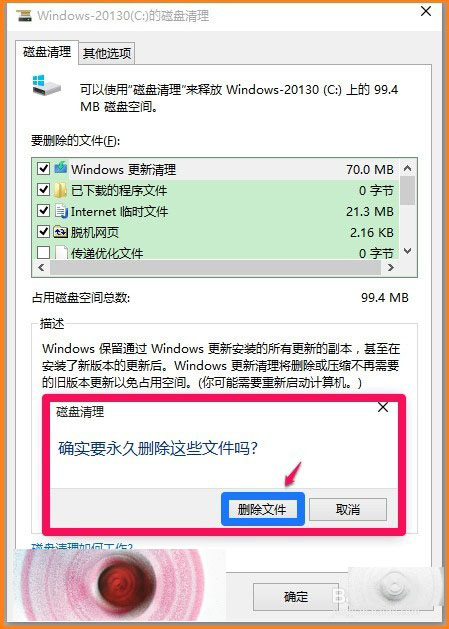
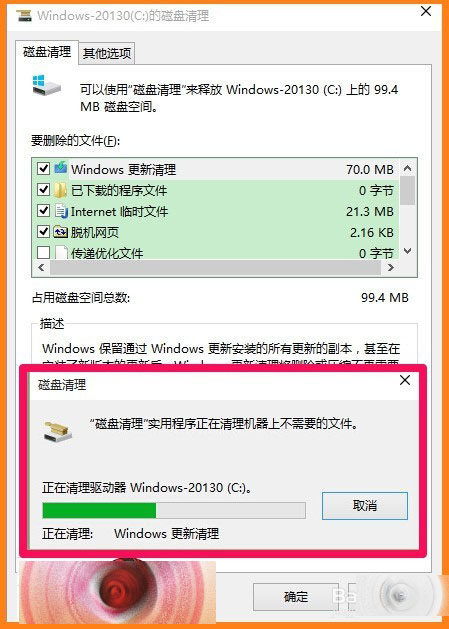
  4. 確認刪除 → 等待清理完成,所有可清理項目歸零。

注意

  • 清理後無法復原舊版系統,確認新系統穩定後再執行。
  • 定期清理可釋放大量系統碟空間 (常見數 GB 至數十 GB)。
Copyright © Windows教程網 All Rights Reserved