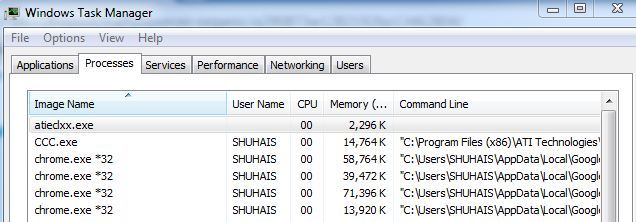
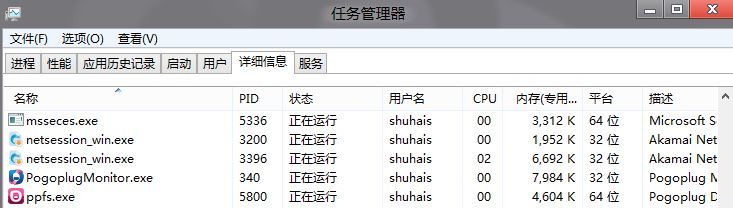
64 位元 Windows 下,判斷執行中程式位元數:
*32
CCC.exe
chrome.exe *32
無需第三方工具,內建工具即可秒辨。
Win7 如何設定工作群組?區域網路共享必備設定教學
Win10 系統瘦身 10GB + P2P 更新技術深度解析:壓縮技術、重設功能、分散式下載
Windows 8 IE 瀏覽器查看歷史記錄兩種方法
Windows XP 禁止開機掃描硬碟 (chkdsk) 加快開機速度:登錄檔修改法
Win8 ADSL 撥號錯誤 651 完整排查:從實體線路到介面卡啟用
Win10 鍵盤關機兩大絕招:Win+X+U+U 經典三鍵流 / Alt+F4 通用大法
Win7 桌面建立關機捷徑,一鍵關機更有效率
Win10 系統時間不準?設定自動與網路時間同步教學