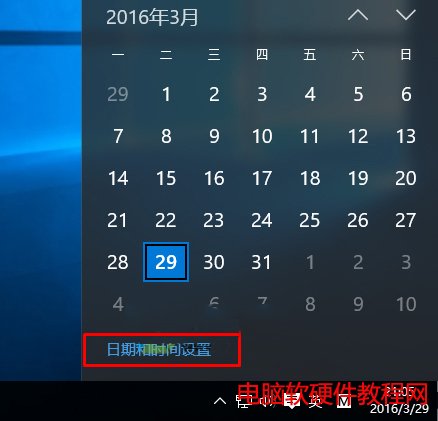
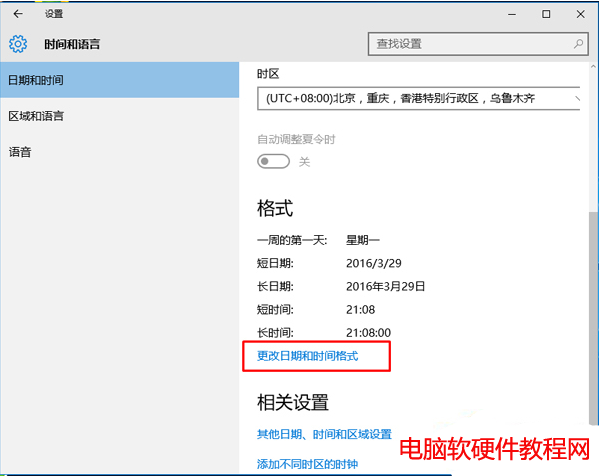
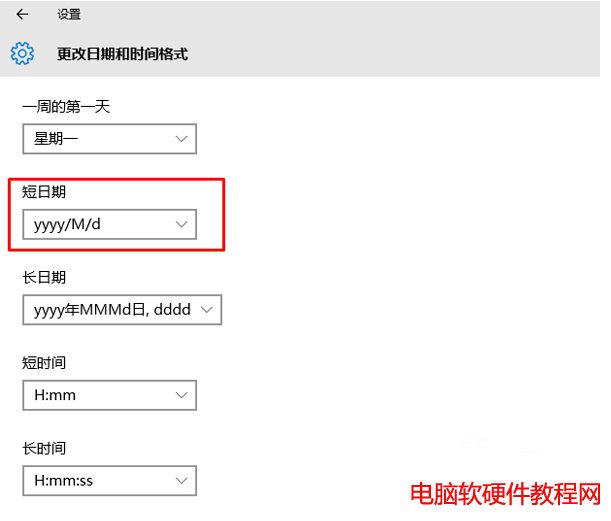
Win10 任務列時間顯示 2016-mm-30 而非月份,係日期格式快取異常導致。重新切換短日期格式即可重置。
2016-mm-30
yyyy/MM/dd
此為小型 UI Bug,非系統錯誤,切換格式觸發格式快取重建即可修復,無需重開機。
Win10 Build 10537 日誌洩露 TH2 大更新將於 11 月推送:WebDriver 指令完整實作時程曝光
Windows XP 安裝 IE8 失敗解決方案:關閉安全軟體鎖定瀏覽器首頁功能
Windows 10 安裝 Python 2.7.10 圖文教學
WinXP 桌面壁紙設置四大注意事項:格式選擇/路徑指向/顯示模式/病毒排查
Win10 提示「工作管理員已由系統管理員停用」怎麼辦?群組原則啟用教學
查看 Windows 8 已安裝應用程式佔用空間大小,釋放系統磁碟
Windows 7 系統運行速度越來越慢怎麼辦?兩大優化方案徹底提升效能
VMware 磁碟複製快速部署 PXE 伺服器:整碟克隆大幅縮短佈署時間