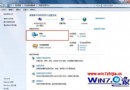
Win7 任務列時間僅顯示 2016-3-30 無中文月份日,需在「地區與語言」自訂短日期格式加入中文字元。
yyyy'年'M'月'd'日'2016年3月30日。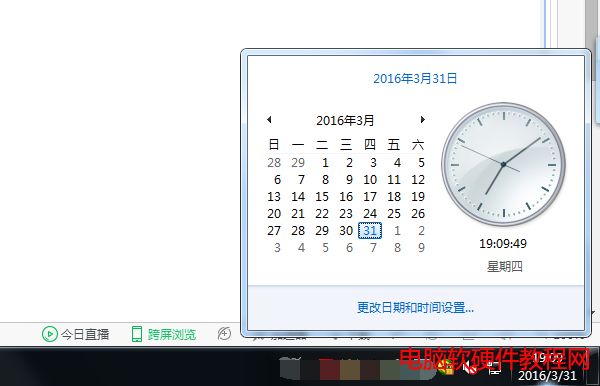
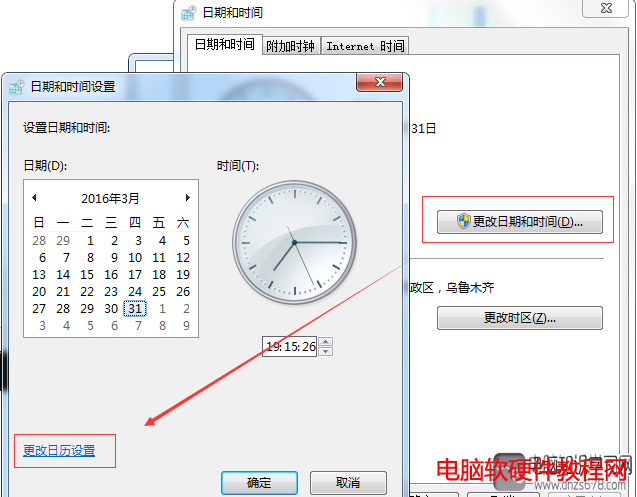
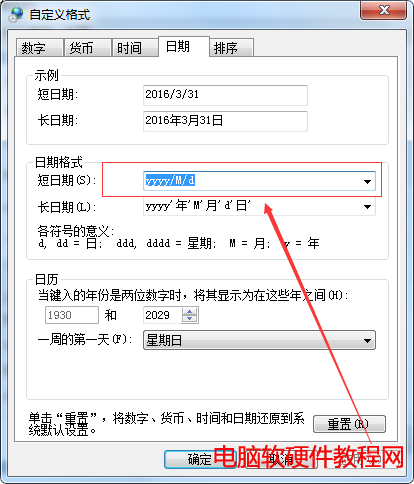
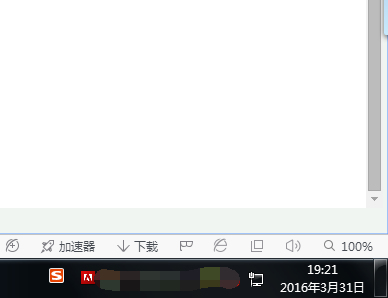
同理可自訂長日期、時間格式,格式代碼:yyyy年 M月 d日 HH時 mm分 ss秒。
Win10 家用版無法取得管理員權限?兩種方法啟用內建 Administrator
Win7 瀏覽器無法開啟 localhost 解決方案:WAMP 服務啟動與修復完整教學
小型平板運行 Win10 消費者版現場上手:桌面版移植平板、觸控優化、Continuum 雙模式
Windows 8 刪除頑固無法刪除的資料夾(命令提示字元法)
Win7 滑鼠無法移動?三大常見原因與解決方法(USB 接觸不良、滑鼠損壞、系統省電設定)
Win10 Mobile 預覽版 10586.104 即將推送,或為 WP8.1 升級最佳版本
Windows 7 設定 VMware 虛擬機器上網(Host-Only 模式)
Win8.1 安裝軟體報錯「called runscript when not marked in progress」?三步驟快速修復