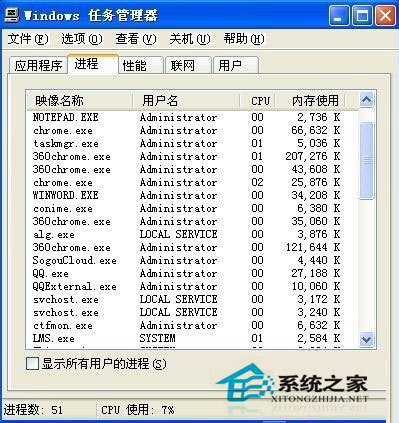
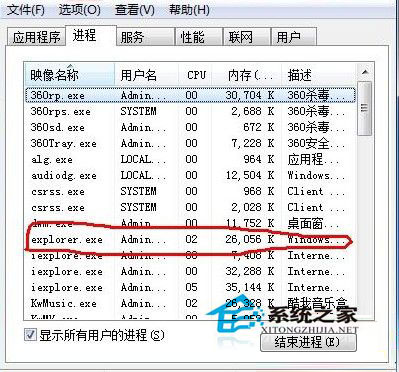
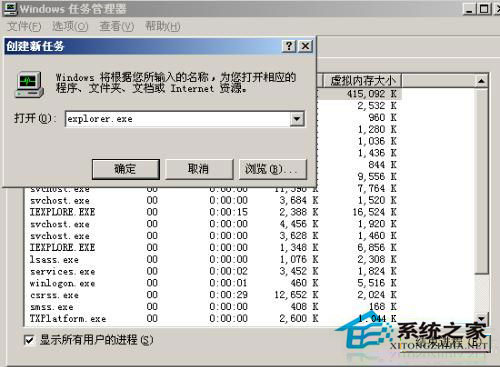
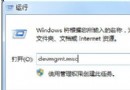
XP 桌面卡死(滑鼠/鍵盤無反應)時,切勿長按電源鍵強制關機(易損壞硬碟/檔案系統),改用工作管理員重啟 explorer.exe:
explorer.exe
原理:explorer.exe 負責桌面殼層,卡死通常因程式過多/資源耗盡導致該程序無回應,重啟即可恢復,並保留其他程式運行狀態。
Win10 設定略過資源回收筒直接刪除檔案
Windows 10 未插 USB 裝置卻顯示「安全移除硬體」圖示的兩種修復方法
Win10 玩 CF (穿越火線) 1080p 無法全螢幕?Intel 顯示卡設定檔自動切換解決
Win10 Build 10036 新增 83 個扁平化圖標:設計風格爭議、垃圾桶被吐槽、疑似 Win98 復刻加色?
微軟推送 Windows 10 第三波累積更新 KB3081438,專注修正錯誤與效能提升
Win10 安裝軟體跳出「應用程式無法在電腦上執行」?相容模式一招解決
Windows 10 應用商店怎麼開啟?四種快速打開方法圖解
Win10 登入應用商店後開機強制要求密碼?改用 PIN 碼/圖片密碼保持便利與安全