Windows XP Windows 7 Windows 2003 Windows Vista Windows 綜合教學 Linux 系統教學
Windows 10 Windows 8 Windows 2008 Windows NT Windows Server 電腦軟體教學
您现在的位置: Windows教程網 >> Windows教程 >  >> Windows 綜合教學 >> 關於 Windows

關閉 Windows 10 免費升級推送通知三法:卸載 KB3035583、修改更新設定、刪除 GWX.exe 或用小工具一鍵關閉

編輯:關於 Windows

微軟大規模推送 Win10 免費升級提示至 Win7/8.x,無關閉鍵讓強迫症用戶困擾,三種方法永久/暫時移除。
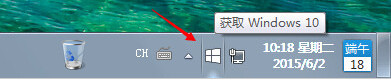
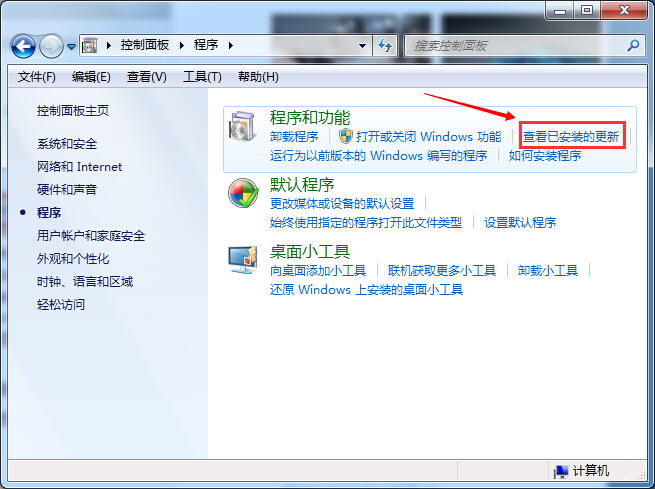
方法一:永久移除 - 卸載升級補丁 KB3035583

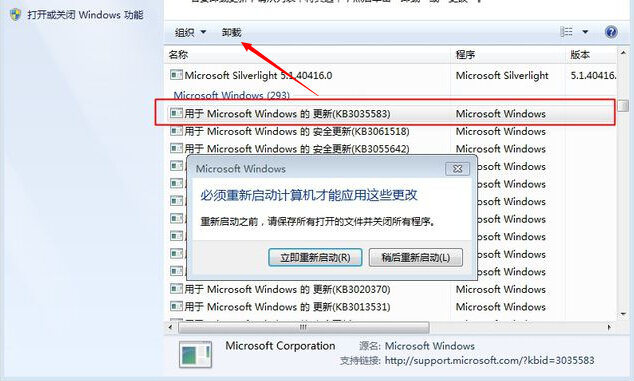
  1. 控制台 →「程式和功能」→「檢視已安裝的更新」。
  2. 找到 KB3035583 → 右鍵「解除安裝」(可能需重開機)。

Win10 升級推送通知

已安裝更新清單

KB3035583 解除安裝

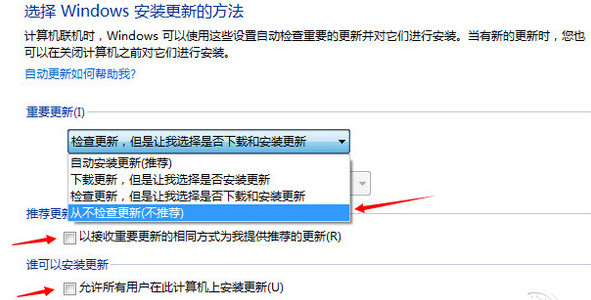
  1. 防止自動重裝:控制台 →「Windows Update」→「變更設定」→ 重要更新選「讓我選擇是否安裝」或「不檢查更新」。

變更更新設定

  1. 刪除升級助手程式:C:\Windows\System32\GWX\GWX.exe(已取消升級則為多餘檔案)。
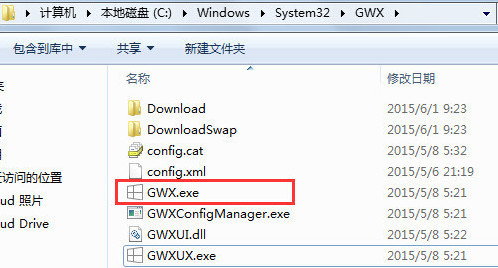
GWX.exe 位置

方法二:暫時移除 - 結束 GWX.exe 程序

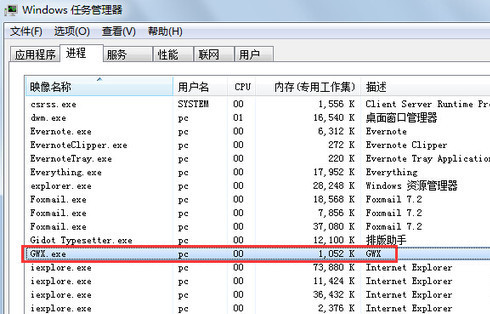
  1. 右鍵工作列 →「啟動工作管理員」。
  2. 「程序」索引標籤找到 GWX.exe → 右鍵「結束程序」。
  3. 工作列升級圖示立即消失,下次重開機或更新後可能再現。

工作管理員結束 GWX.exe

方法三:小工具一鍵關閉 - I Don't Want Windows 10

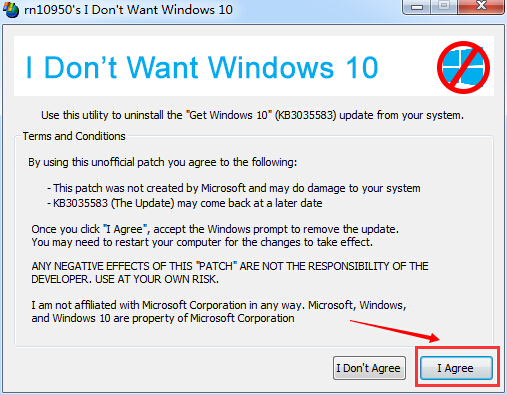
  • 下載執行 I Don't Want Windows 10,自動移除 KB3035583 並封鎖後續推送。
  • 重開機後升級提示徹底消失。

I Don't Want Windows 10 工具介面

若未來決定升級 Win10,可隨時透過 Windows Update 手動檢查安裝。方法一最徹底,方法二最快,方法三最省事。
Copyright © Windows教程網 All Rights Reserved