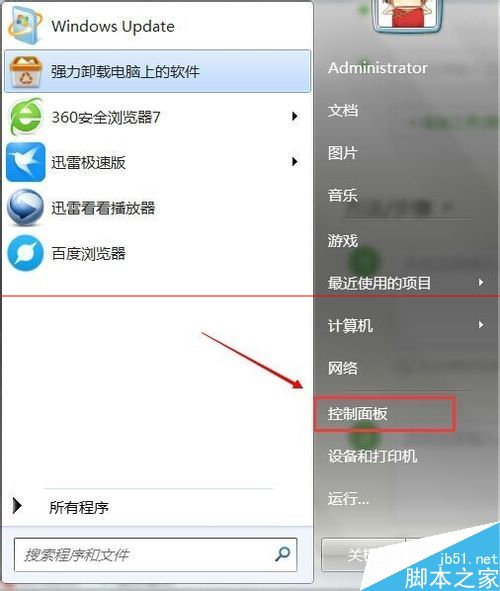
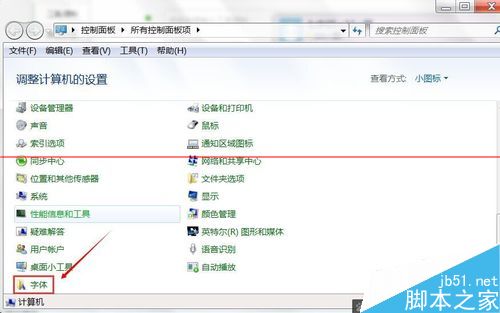
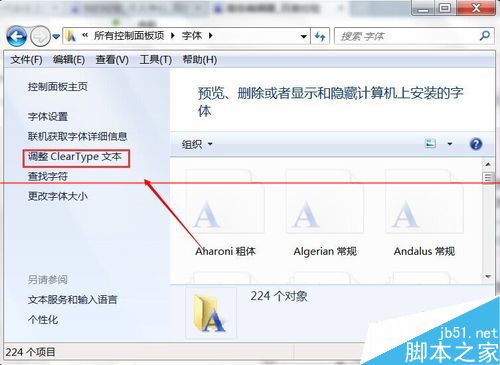
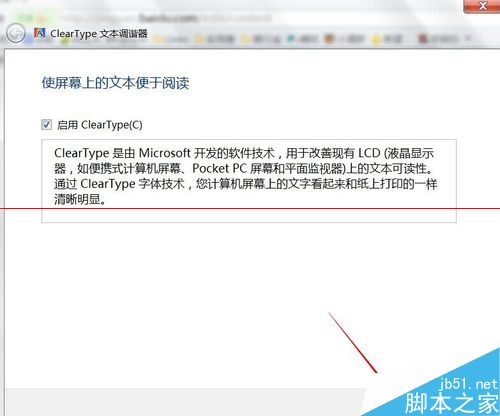
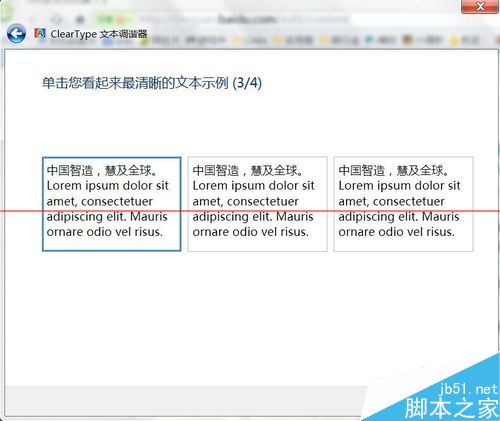
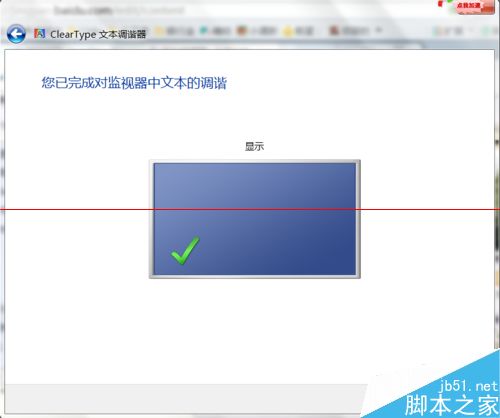
瀏覽器或系統字體莫名變細、筆畫模糊,通常是 ClearType 文字微調設定被意外變更,重新校正即可恢復。
ClearType 專為 LCD 螢幕優化字體邊緣,若使用 CRT 或特殊顯示裝置可能需停用。調整後系統級字體渲染即時生效,無需重開機。
Windows 7 手動部署 Apache + PHP + MySQL 完整圖文教學
清理 Windows 7 滑鼠右鍵選單:透過登錄表移除 IE 多餘擴充功能
解決 Windows 7 睡眠/待機後網路自動斷線:停用網卡省電功能
Win10 關閉 Snap 視窗自動對齊/分割螢幕功能?註冊表一鍵停用教學
Win7 執行程式彈出 360se.exe 損壞映像?CMD 批次重註冊所有 system32 DLL 修復
Windows 10 遠端桌面連線教學:啟用與連線步驟圖解
Win7 如何設定 USB 隨拔即用(快速移除)?裝置管理員啟用快速移除原則
Windows 10 小娜 (Cortana) 語音助理啟用教學:設定語言與區域為美國