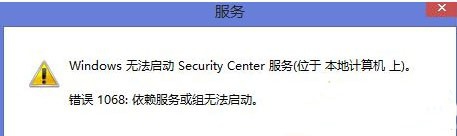
Win8.1 啟動 Security Center 服務報錯 1068「相依服務或群組未啟動」。解決方法:
方法一:啟動相依服務
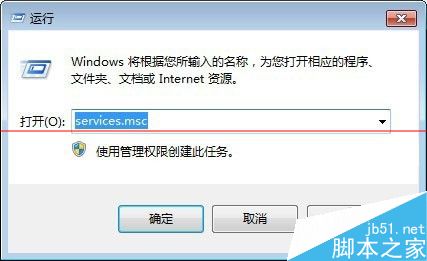
- Win+R →
services.msc。
- 找到 Security Center → 啟動類型設「自動」 → 啟動。若失敗,
- 同樣啟用 Remote Procedure Call (RPC) 與 Windows Management Instrumentation (WMI) 兩項服務。
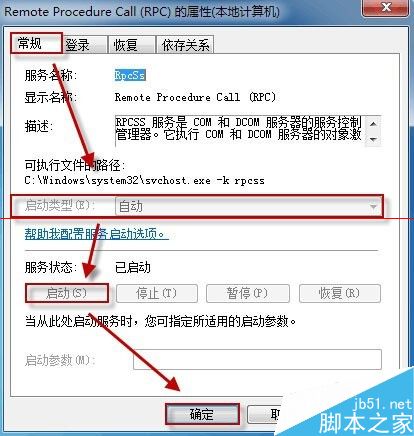
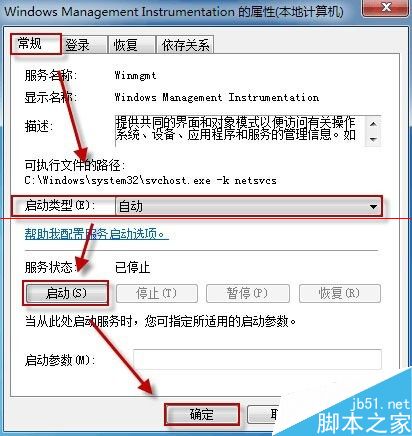
- 再次嘗試啟動 Security Center,通常即可成功。
方法二:安全模式排查衝突
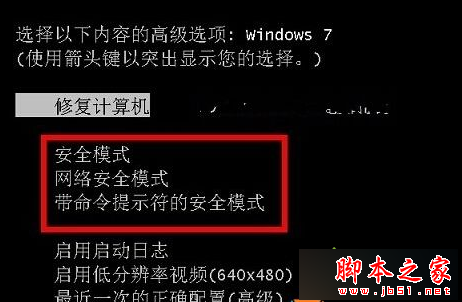
- 開機連按 F8 進入安全模式 → 按方法一啟動服務。
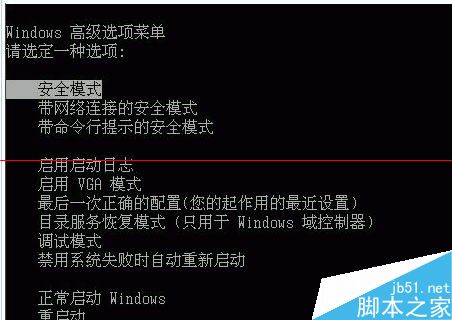
- 安全模式能啟動則用「乾淨啟動」逐一排查衝突程式/服務。