Windows XP Windows 7 Windows 2003 Windows Vista Windows 綜合教學 Linux 系統教學
Windows 10 Windows 8 Windows 2008 Windows NT Windows Server 電腦軟體教學
您现在的位置: Windows教程網 >> Windows教程 >  >> Windows 綜合教學 >> 關於 Windows

Win10 IME 輸入法被禁用無法切換?批次檔一鍵啟動 TextServicesFramework/MsCtfMonitor 任務

編輯:關於 Windows

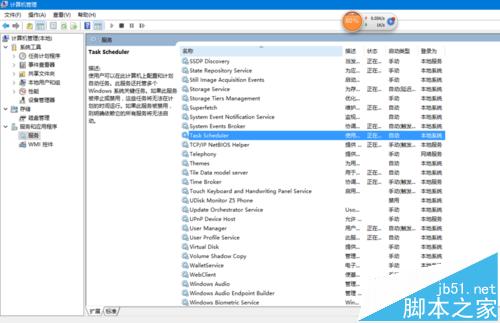
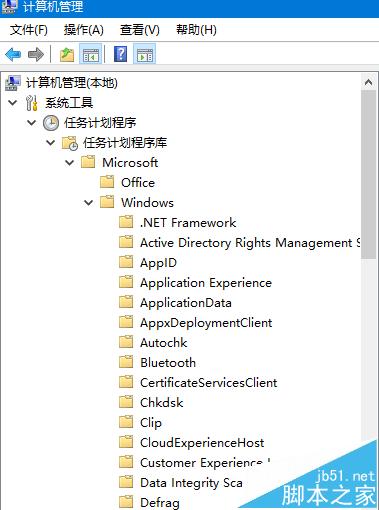
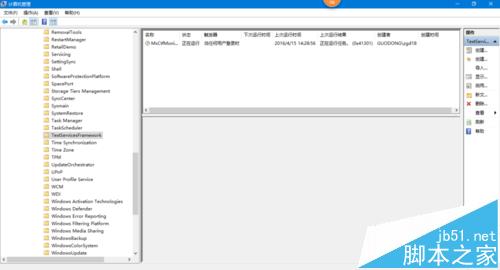
Win10 使用一段時間後 IME 常被禁用導致無法切換輸入法。手動解法:服務啟動 Task Scheduler → 工作排程器啟動 Microsoft\Windows\TextServicesFramework\MsCtfMonitor。為省時,寫成批次檔以管理員身分執行即可一鍵修復。

批次檔內容

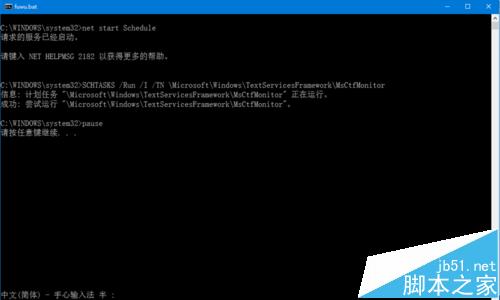
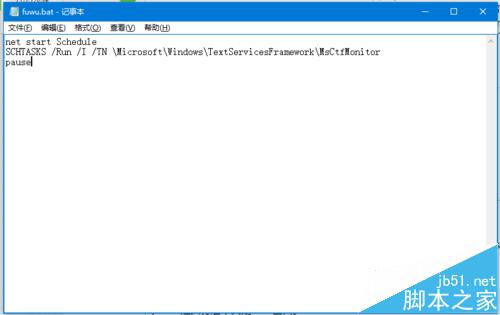
net start Schedule
SCHTASKS /Run /I /TN "\Microsoft\Windows\TextServicesFramework\MsCtfMonitor"
pause
  1. 桌面新建 fuwu.txt → 重命名 fuwu.bat → 右鍵編輯貼上上述指令 → 存檔。
  2. 右鍵 fuwu.bat →「以系統管理員身分執行」,輸入法即刻恢復。

pause 保留視窗方便查看結果。

Copyright © Windows教程網 All Rights Reserved