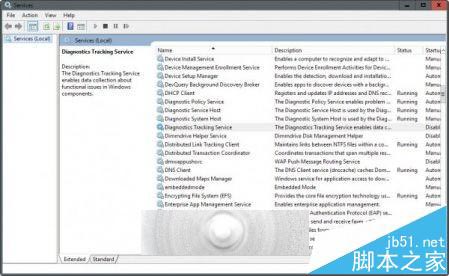
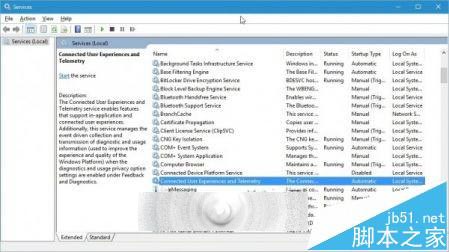
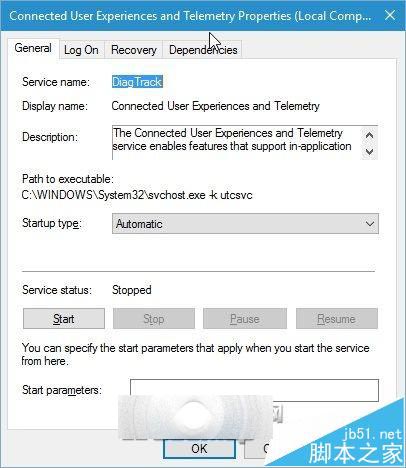
Win10 原內建 DiagTrack(診斷追蹤服務),被視為系統級鍵盤記錄器。TH2 更新後,該服務在「服務」清單中消失,實則僅更改顯示名稱為:
Connected User Experiences and Telemetry
服務內部名稱仍為 DiagTrack,預設仍為「自動」啟動。外媒連用三個「sneaky(狡猾)」形容微軟此舉。
DiagTrack
services.msc
企業版用戶可透過群組原則徹底關閉遙測,家用版僅能停用此服務降低資料上傳頻率。
Win10 批次檔(.bat)怎麼固定到「開始」選單?建立捷徑加參數法
Win7 無法共用資料夾解決:開啟網路探索與公用資料夾共用
Win10 無法存取網路錯誤 0x80072FBF 解決法:檢查時間與網路診斷
Windows 10 快速存取資料夾順序調整:拖曳即可自訂排序,同步更新導覽窗格與右側視圖
升級 Windows 10 正式版必看:相容性檢查、軟體重裝提醒、預約流程完整圖解
Win10 控制台項目無法開啟?三大修復方案完整圖文教學
Win10 工作列假死、開始鍵無反應?PowerShell 一鍵重註冊 UWP 應用修復
Win8 內建分螢幕功能教學:無需第三方軟體,Modern 應用與桌面並排