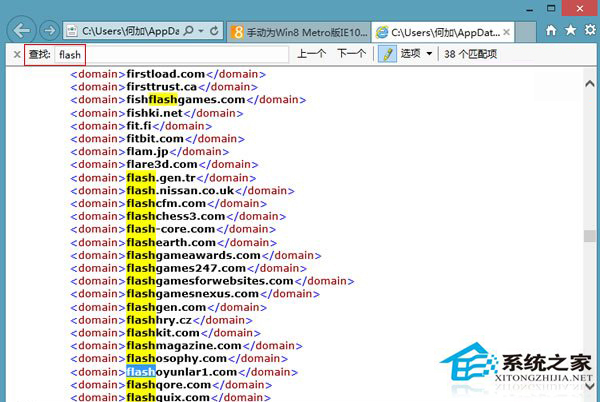
Win8 IE10 因兼容性檢視清單自動屏蔽體驗不佳的 Flash 網站,導致部分需 Flash 的頁面無法正常瀏覽。解決方法:手動將目標網站加入 IE 兼容性資料檔案中。
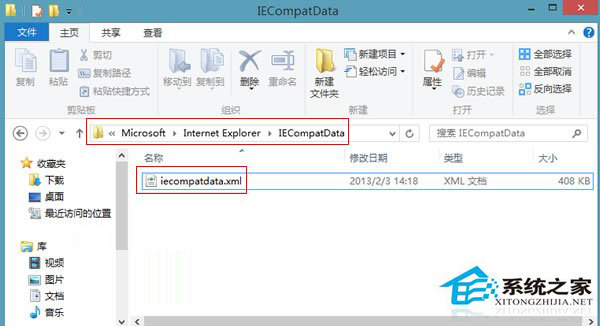
C:\Users\<用戶名>\AppData\Local\Microsoft\Internet Explorer\IECompatData
這些網站通常因不支援 Windows 觸控體驗或需額外控制項而被屏蔽,手動加入即可恢復存取。
Win7 系統印表機無法雙面列印、雙面按鈕灰色怎麼辦?
如何將 Win10 系統遷移到固態硬碟?分區助手幾步搞定
Windows 7 事件檢視器快速開啟法:指令一鍵直達
Win10 Build 15002重磅功能:專業版/企業版/教育版可暫停更新35天,驅動更新獨立控制
Win7 系統 Safari 瀏覽器無法開啟網頁?DNS 與 Proxy 完整排查教學
Win10 行事曆應用切換深色主題教學:五步驟完成個人化設定
Win7 右下角提示「此 Windows 副本不是正版」?小馬啟動工具一鍵永久啟用
Win10 Mobile 10536.1004 實測體驗:HTML5 得分 439/555、照片應用大改版、單手模式全機型支援