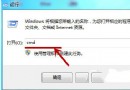
Windows 7 工作列右側「顯示桌面」小圖示偶爾會消失,除用 Win + D 熱鍵外,可用註冊指令重新註冊 Shell 延伸模組修復:
regsvr32 /n /i:u shell32
若仍無效,可嘗試重建快速啟動工具列(參考「找回快速啟動欄」教學)。
Win10 預覽版 10558 英文版 64 位 ISO 鏡像洩露下載
如何從微軟官網下載 Win10 預覽版簡體中文版?
Win10 無法啟動 Windows 資訊安全中心服務?完整修復教學
Win10 突破解析度底線:可在 1024×600 上網本運行,Win8.1 門檻為 1024×768
Windows 7 網路印表機連線正常但無法列印?IP 位址不符排查教學
Win10 TH2 貼心更新:右鍵選單新增「使用 Windows Defender 掃描」功能
Win10 10159 變更預設瀏覽器:設定 → 系統 → 預設應用程式 → 瀏覽器
Windows 顯示所有隱藏檔案:資料夾選項與登錄雙重保障