Win8 系統 IE 瀏覽器頻繁彈出「瀏覽器控制項不相容」對話框,確認後重新整理顯示「無法顯示該網頁」。排除網路問題後,可嘗試以下三步驟修復。
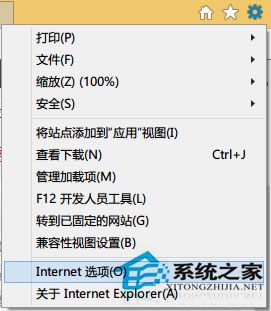
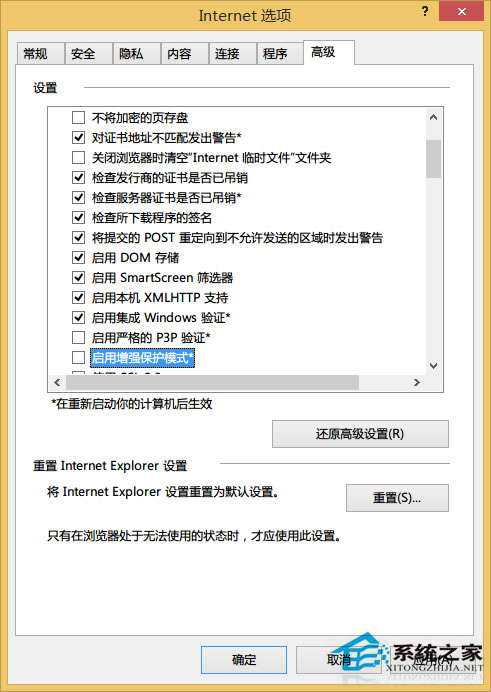
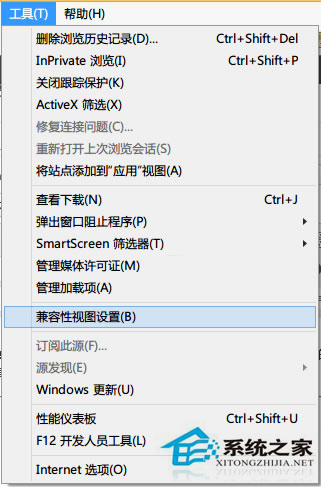
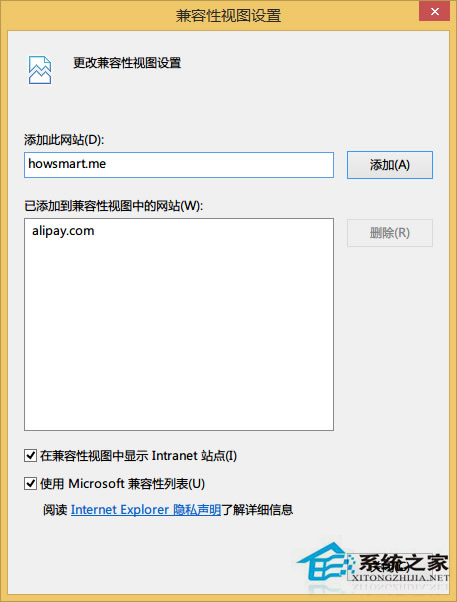
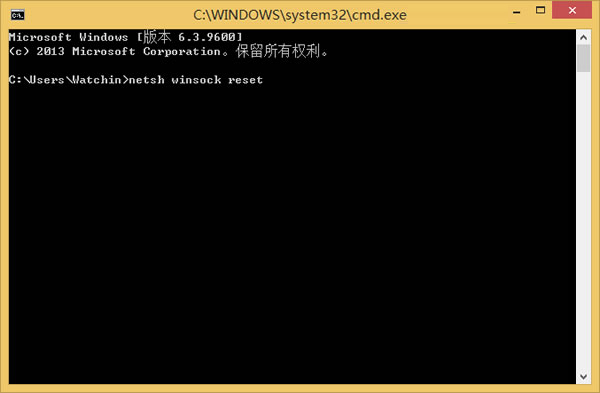
cmd → 輸入 netsh winsock reset → 重開機。此指令將 Winsock 目錄恢復預設狀態,解決網路協議層異常。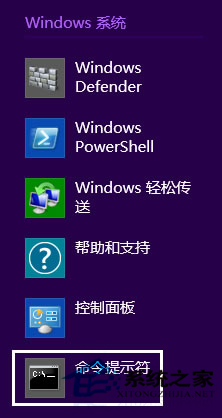
上述方法同樣適用於 Win8 系統下其他瀏覽器的類似問題。
Win10 如何管理/刪除 Windows 憑證?憑據管理器完整圖文教學
Win10 指紋登入設定完整教學:Windows Hello 生物辨識輕鬆解鎖
Windows 8 以系統管理員身分執行 CMD 三種快捷開啟法
Win10 升級後頻繁無回應提示「a language pack isn't available」?修改登錄檔並重置 Windows Update 修復
行動版 Win10 將支援 ARM 與 x86 雙平台:邁向大一統願景
Windows 7 刪除/移動檔案提示「資料夾正在使用中」?用資源監視器精準釋放鎖定
Windows 10 最詳細優化設定:徹底解決磁碟 100% 佔用、CPU 高負載、記憶體暴漲,18 項調教打造流暢體驗