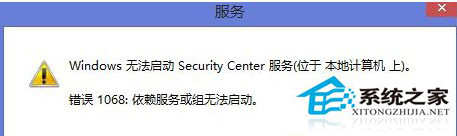
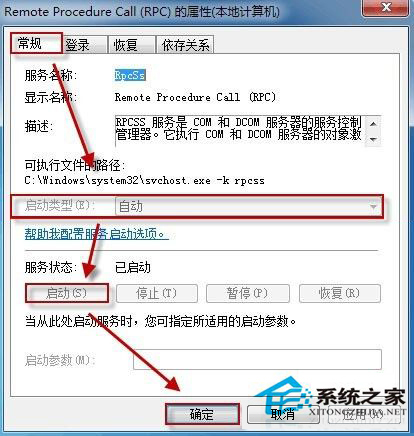
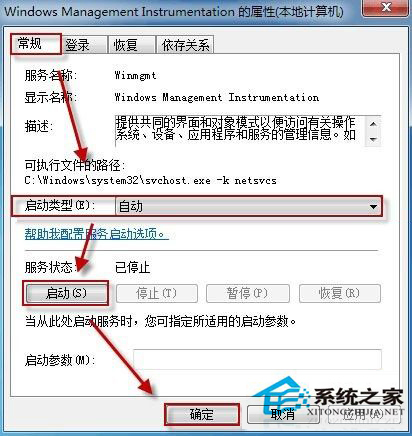
Win8.1 啟動 Security Center 服務報錯 1068:相依服務未啟動。解決:
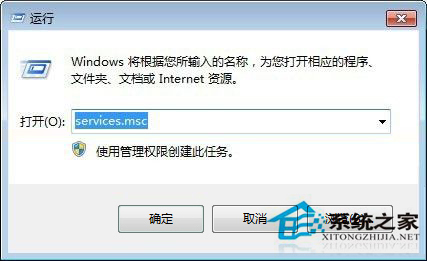
services.msc
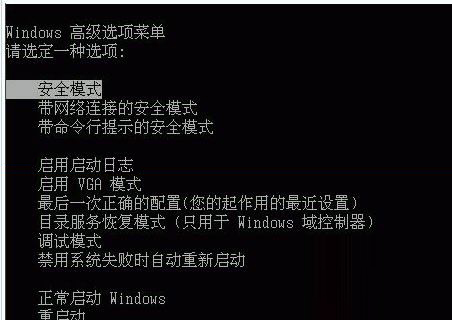
若仍失敗,進安全模式 (開機連按 F8) 啟動服務,再用乾淨啟動排查衝突程式。
Win8.1 資源管理器無法開啟、提示找不到腳本檔案?完整修復教學
Win7 IE 瀏覽網頁提示「離線狀態下網頁無法使用」?取消「檔案」→「離線工作」勾選
Win10 激活失敗完整解決指南:純淨安裝技巧、電話激活、命令列強制激活與錯誤碼對照
Win10 一週年更新「設定」App 介面大改版:左側導覽列豐富化、搜尋上移、圖示化分類、工作列屬性整合
Win7 無法玩 QQ堂?以系統管理員身分執行或啟用 Administrator 帳戶解決
XP 系統安裝軟體提示「平行配置不正確」雙重解決方案
Windows 7 任務列通知區域清理指南:移除無效殘留圖示
Windows 7 登錄 Shell 鍵值誤刪導致檔案無法開啟?還原備份或重灌系統