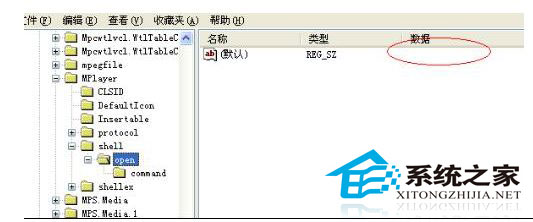
登錄為 Windows 核心資料庫,Shell 鍵值被誤刪會導致檔案關聯失效、無法開啟檔案。解決方案:
Shell
若有登錄備份 (.reg 檔) 或系統還原點,直接匯入備份或執行系統還原,最快恢復。
登錄結構極其複雜,手動重建幾乎不可能。無備份時重灌系統為唯一可靠方案。
登錄編輯極高風險,任何修改前必須完整備份 (匯出 .reg 或建立還原點)。財務、數據分析人員尤應謹慎。養成定期備份習慣,防患未然。
Win10 地圖 App 開啟一片空白?設定→系統→離線地圖→下載地圖資料即可正常使用
Windows 7 啟用/關閉 Aero Peek 預覽桌面功能教學
Win10 啟用 Aero Glass 毛玻璃效果完整教學 (僅 64 位元)
Win7 安裝 IE8 提示「此安裝不支援您的作業系統」?登錄表修改語言代碼破解限制
Win10 採用先進資料壓縮技術 32位元省 1.5GB、64位元省 2.6GB 空間
如何將 Windows 資料夾掛載到 Linux?CIFS/SMB 掛載完整指令教學
Windows 7 滑鼠指標速度、雙擊速度自訂設定圖文教學
Win10 開始選單磚塊透明化怎麼設定?相簿磚塊透明度調整完整教學
 警示