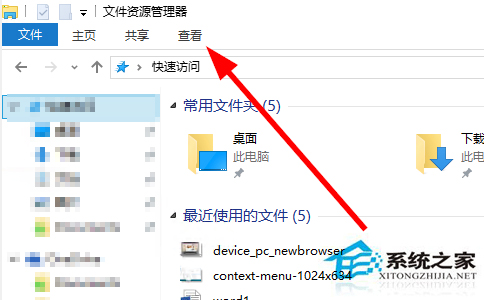
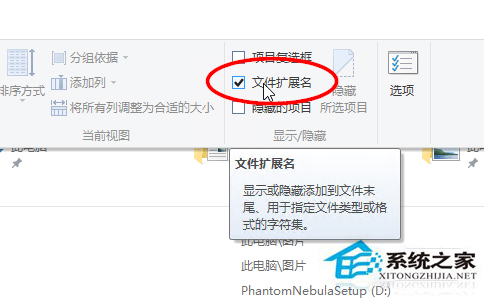
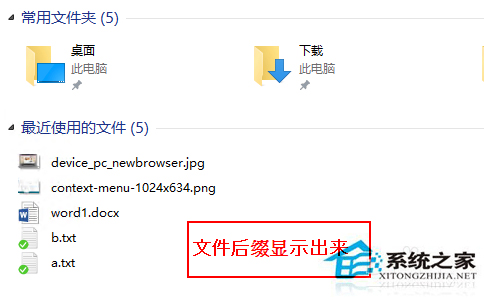
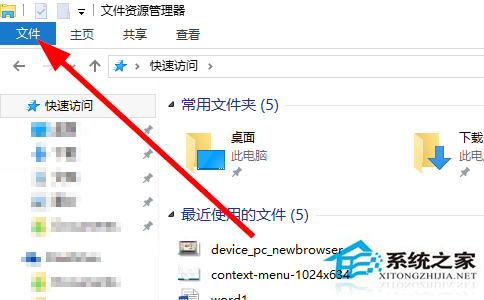
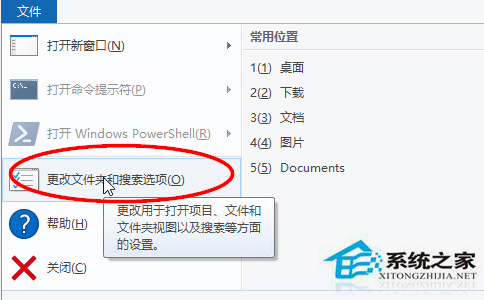
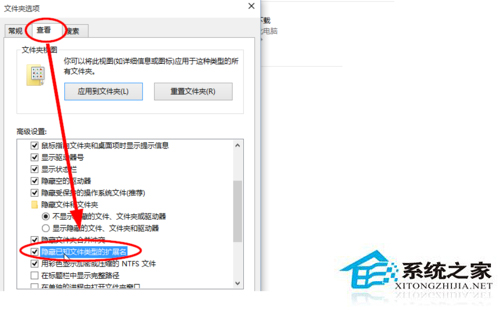
Win10 預設隱藏已知副檔名,顯示方法:
想隱藏時同路徑取消勾選即可。
Win10 家用版/專業版如何啟用 Windows To Go 功能?手動複製系統檔案與匯入登錄表實現
Win10 正式版官方原版 ISO 鏡像下載大全:家用版/專業版/企業版/教育版 32/64位 元、SHA1 驗證、百度網盤/ED2K 鏈接
Windows 10 設定自動關機兩大法:指令排程 / 360 安全衛士小助手圖形化操作
Windows 10 預覽版調整視窗顏色:登錄檔修改 Window 文字背景色保護視力
解決 Windows 7 網路探索無法啟用、印表機共用失敗的完整指南
Win7 如何安裝 IPv6?命令列與圖形介面雙法圖文教學
Win10 玩《英雄聯盟》卡頓、閃退怎麼辦?TGP 輔助+虛擬記憶體優化雙管齊下
Win10 Defender 任務列圖示怎麼隱藏?停用啟動項即可隱藏不影響防護