Windows XP Windows 7 Windows 2003 Windows Vista Windows 綜合教學 Linux 系統教學
Windows 10 Windows 8 Windows 2008 Windows NT Windows Server 電腦軟體教學
您现在的位置: Windows教程網 >> Windows教程 >  >> Windows 綜合教學 >> 關於 Windows

Windows 10 如何下載免費 Office 行動版應用?應用商店搜尋安裝 Word/Excel/PowerPoint Mobile

編輯:關於 Windows

Windows 10 確實提供免費 Office 應用(Word Mobile、Excel Mobile、PowerPoint Mobile),功能雖不如完整安裝版強大,但足應付基本編輯需求。

安裝步驟

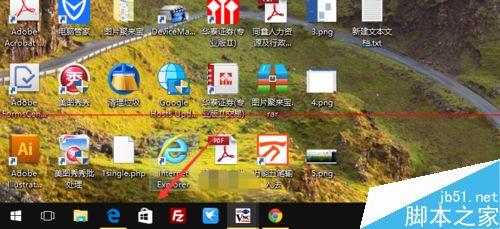
  1. 任務列點擊「應用商店」圖示。
    應用商店圖示
  2. 搜尋框輸入 OFFICE。
    搜尋 OFFICE
  3. 找到 Word Mobile、Excel Mobile、PowerPoint Mobile 三個應用(標註 Mobile 表示原為手機版,電腦同樣可用且免費)。
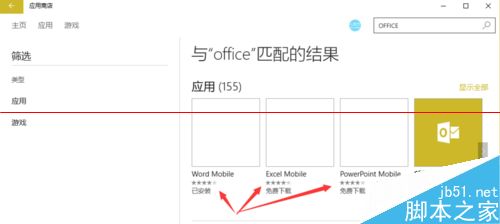
    三個 Mobile 應用
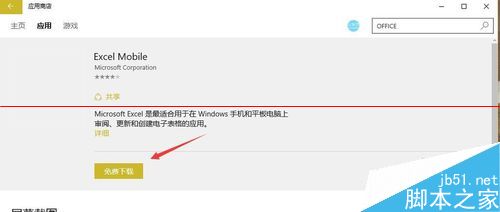
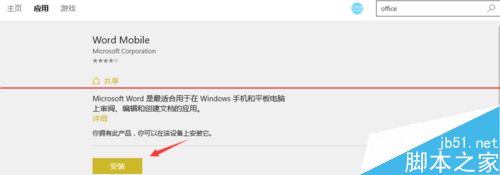
  4. 進入應用詳情頁點擊「取得」下載安裝。
    應用詳情頁
    安裝按鈕
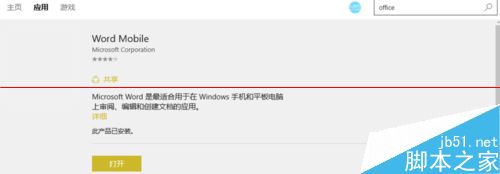
  5. 安裝完成點擊「啟動」使用。
    啟動應用
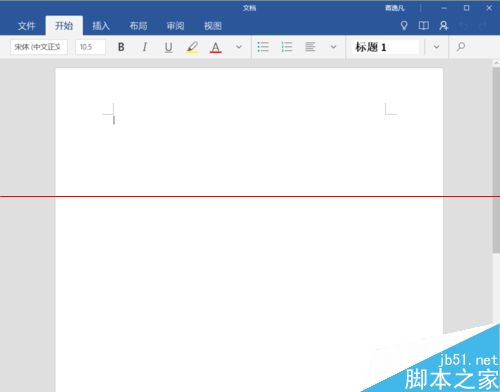
  6. 介面與功能類似桌面版但較精簡,適合輕度編輯。
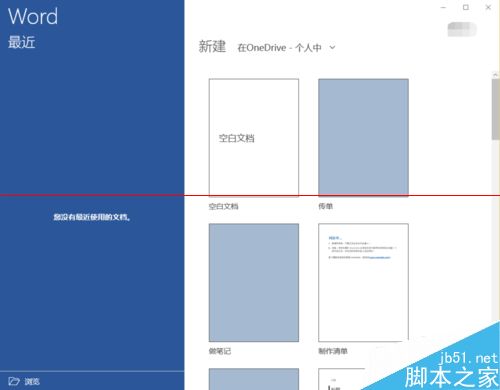
    Word Mobile 介面
    Excel Mobile 介面

三個應用操作方式相同。需完整功能者仍建議購買 Office 365 或永久授權版。

Copyright © Windows教程網 All Rights Reserved