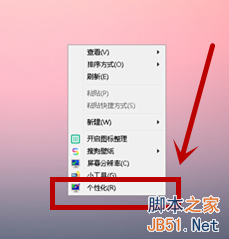
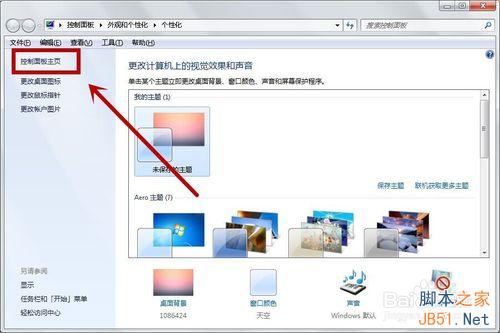
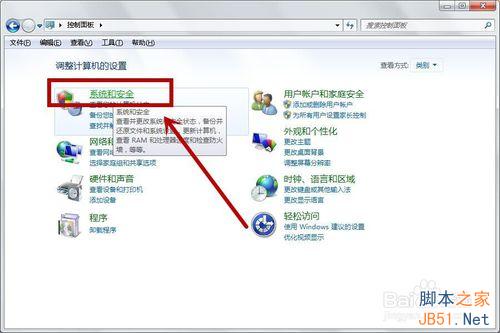
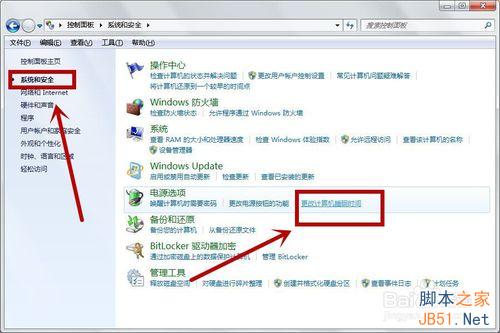
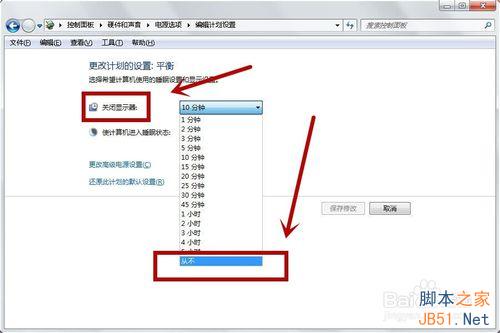
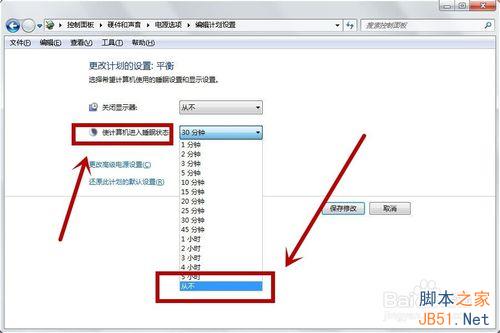
Windows 7 離開電腦後螢幕變黑屬進入睡眠狀態,可透過電源選項調整或關閉:
Windows 7 桌面圖示全變一樣?一鍵還原預設圖示解決
Win10 升級完整問答:升級前必知的 9 大關鍵點
Win10 Mobile 10080 預覽版:Edge 與 IE11 瀏覽器 HTML5 跑分對比
XP 系統提示 Baidusdsvc.exe 應用程式錯誤?移除重裝百度殺毒解決
Win10 隱藏本機磁碟機保護重要檔案,群組原則一鍵設定
Windows 7 移除不需的系統元件精簡作業系統 (無損精簡)
Windows 7 禁止滑鼠喚醒電腦:裝置管理員停用「允許此裝置喚醒電腦」
Windows 10 執行綠色軟體提示「拒絕存取」?兩大原因與解決方案