Windows XP Windows 7 Windows 2003 Windows Vista Windows 綜合教學 Linux 系統教學
Windows 10 Windows 8 Windows 2008 Windows NT Windows Server 電腦軟體教學
您现在的位置: Windows教程網 >> Windows教程 >  >> Windows 綜合教學 >> 關於 Windows

Windows 10 新版音量控制不習慣?四步修改登錄恢復經典介面

編輯:關於 Windows

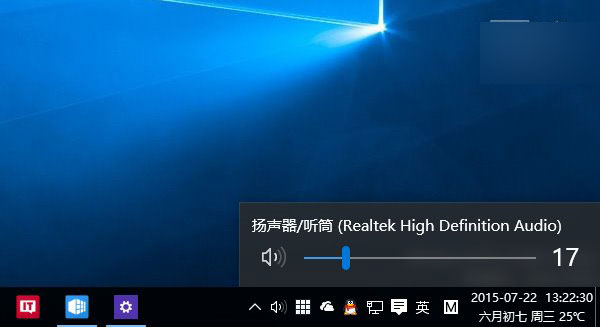
Windows 10 新版音量控制介面結合 Win7/8.1 優點,但老用戶可能偏好經典風格。經典介面被隱藏而非移除,可透過登錄恢復:

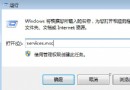
  1. Win+R 輸入 regedit 開啟登錄編輯器。
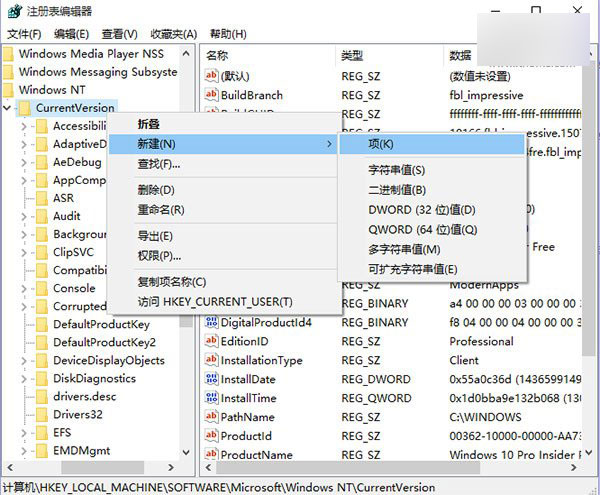
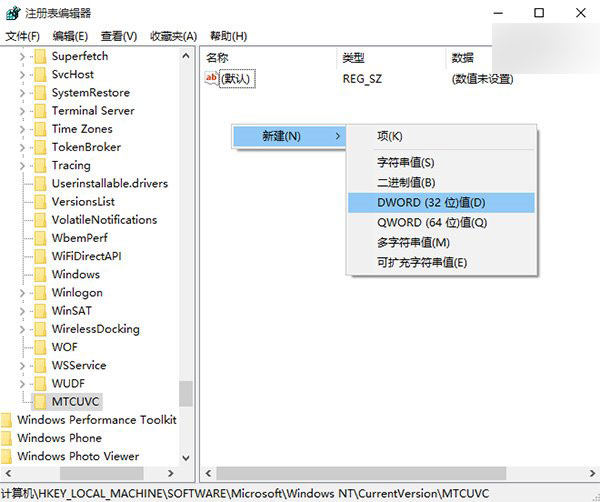
  2. 定位至 HKEY_LOCAL_MACHINE\Software\Microsoft\Windows NT\CurrentVersion\MTCUVC(無則於 CurrentVersion 右鍵新建項目命名 MTCUVC)。
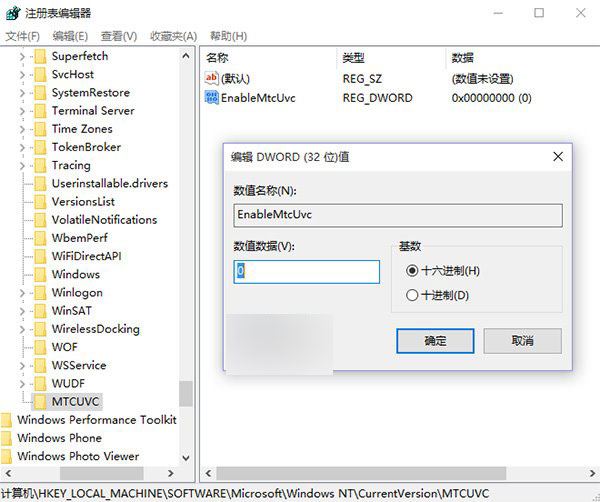
  3. 於右側空白處新建 DWORD (32-bit) 值,命名 EnableMtcUvc,數值資料保持 0。
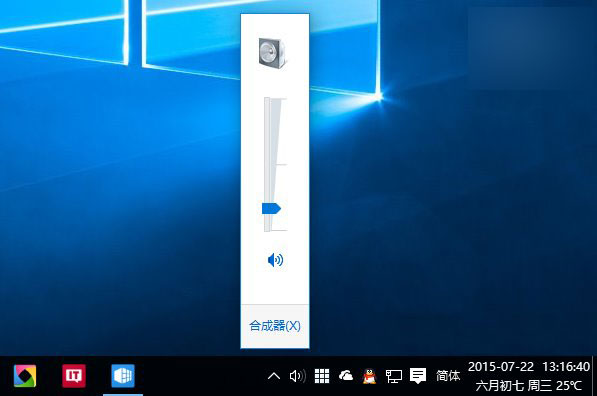
  4. 重啟 explorer.exe(可用軟媒魔方「快捷指令」),即見經典音量控制介面。
若要恢復新版介面,刪除 EnableMtcUvc 並重啟 explorer.exe 即可。操作前建議備份登錄。

Copyright © Windows教程網 All Rights Reserved