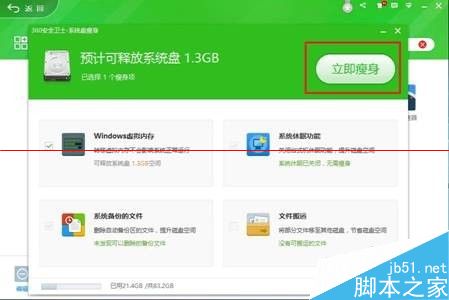
升級 Win10 要求系統盤至少 16GB 剩餘空間。空間不足用 360「系統盤瘦身」解決:
專家解釋:Win10 要求系統盤 ≥16GB 剩餘,不足無法升級。
微軟加快 Win10 Mobile 推送頻率:內部正測試新預覽版,核心品質為首要目標
Win10 將 OneDrive 加入滑鼠右鍵「傳送到」選單教學
Win 10 Edge 瀏覽器已支援 Brotli 壓縮演算法,網頁載入更快
Win10 Mobile 10581 更新內容完整彙總:Bug 修復、效能提升、Hey Cortana 恢復、社交應用發圖修復
Win10 一週年更新版 CLSID (GUID) 完整彙總表
Win7 系統安裝新版 Synaptics 驅動後觸控板無法點擊的解決辦法
Win10 右鍵沒有「新增資料夾」選項?註冊表修復 ContextMenuHandlers 新增鍵值
7 月 29 日微軟 Windows 10 發布會粉絲慶祝活動:中國北京水立方開放報名,7/22 截止