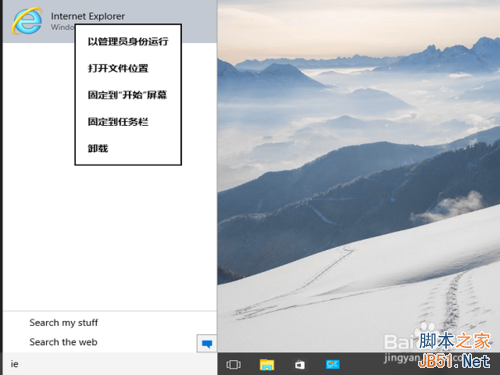
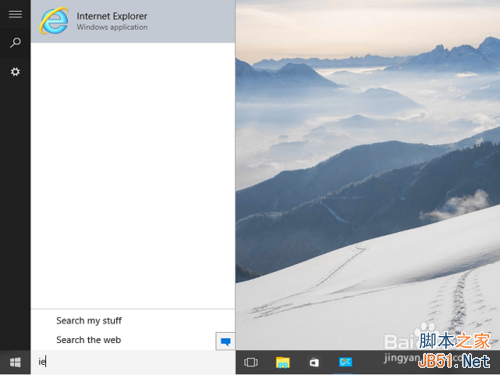
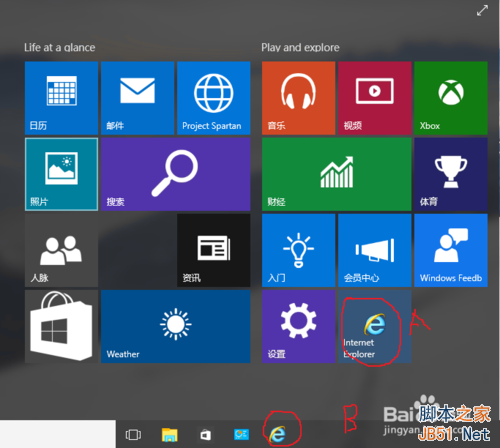
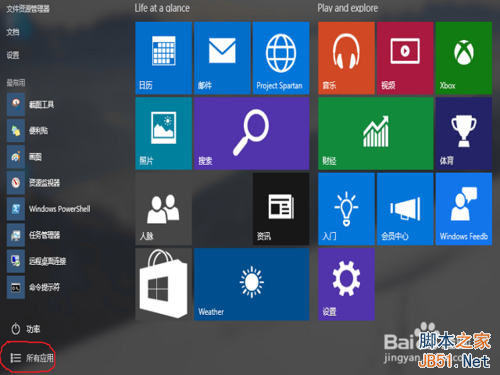
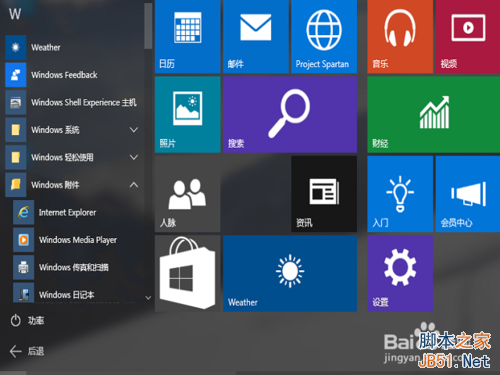
Win10 預設用 Spartan (Edge),習慣 IE 的用戶可用兩法找回:
Win10 磁碟配額在哪裡?位置、功能與管理用途完整說明
Win10 開始選單簡化後高效使用技巧:固定/取消/拖拽排版/任務欄雙重固定
Win8系統幫助文檔(.chm)無法打開的三大原因與解決辦法
Win10 Mobile 10586.122 ROM 安裝包大小 705.8MB 即將推送
Win7 如何關閉預設共享資料夾 (C$、D$、ADMIN$ 等)?電腦管理→共用資料夾→停止共用
Win10 畫圖應用大變身:經典 MSPaint 全面現代化,UWP 版「Newcastle」曝光
Win10 內建防毒 Windows Defender 圖示變身「盾牌」:微軟走向大眾化的策略信號
CMD 提示「不是內部或外部命令」?環境變數 Path 遺漏系統路徑修補