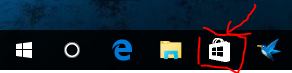
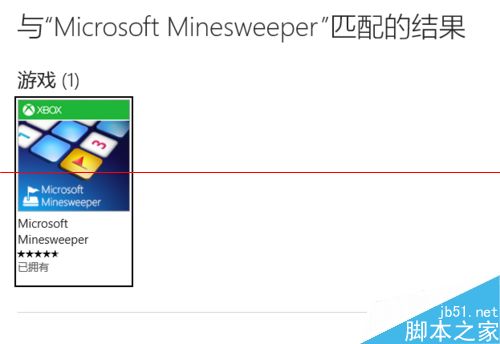
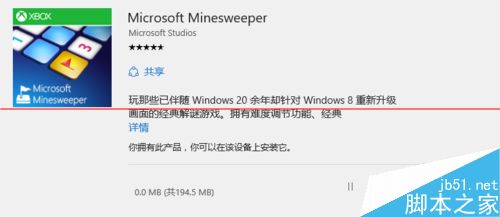
Win10 移除內建經典遊戲(掃雷、纸牌等),需從應用商店下載現代版本。以掃雷為例:
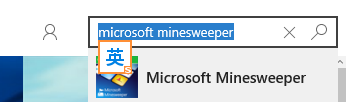
microsoft minesweeper
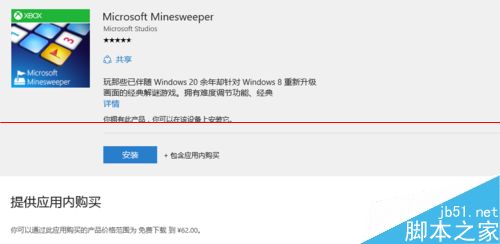
現代版掃雷為免費下載但含應用程式內購買(移除廣告、額外主題等),核心玩法完整保留,可重溫經典樂趣。
騰訊電腦管家 Windows 10 升級助手:Win7/8.1 一鍵免費升級正版 Win10 圖文教學
Windows 10 更改螢幕解析度完整教學
新電腦裝 Win10 還是 Win7?綜合優缺點分析與購機建議
Win10 任務列時間不顯示月份 (顯示 mm)?重新選擇日期格式即可修復
Win7 關閉移動裝置自動播放:群組原則與登錄檔雙法防隱私洩露
拒絕魯大師!用 Windows 內建工具完整檢查系統健康度、修復檔案、診斷記憶體與硬碟
Windows 10 Build 10130 任務列新增下載進度動畫指示器 (Chrome 示範)
微軟高管:Win10 基本定型,Build 10122 已極成熟,正式版只是開始