升級 Windows 10 後系統殘留舊版本檔案佔用 C 槽空間且影響速度,除重灌外可用「重置此電腦」整理系統。
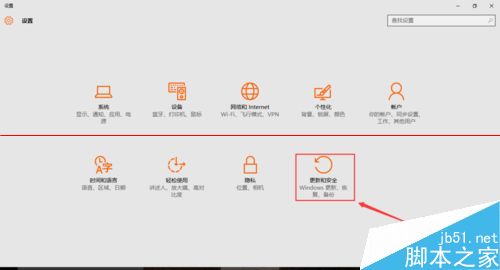
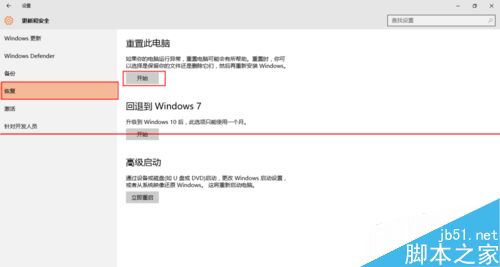
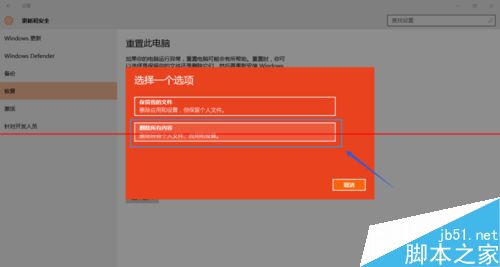
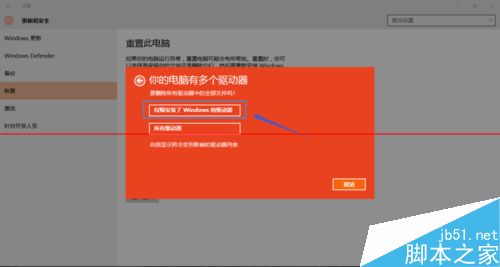
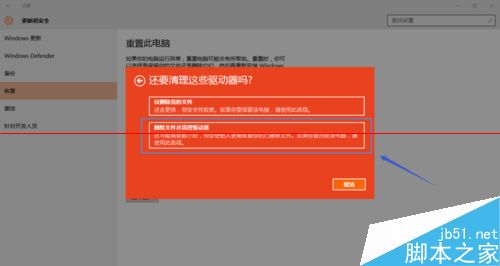
⚠ 注意: 重置有失敗風險,操作前請務必備份重要資料。
Windows 10 10240 專業版 KMS 啟用批次檔教學:slmgr 指令自動化啟用流程
Win7 啟動修復提示無法驗證 amdxata.sys 數位簽章?禁用驅動簽章強制+替換檔案解決
微軟建議 Win 10 開發者善用自適應磚塊與互動式通知,提升使用者參與度
Win7 安裝 ActiveX 控制項完整教學:解決瀏覽器阻擋不安全控制項問題
四步自製 Win7「SP2」ISO 鏡像:整合便利更新包 KB3125574,重灌免裝上百補丁
Win8.1 數字鍵盤變滑鼠鍵?關閉「滑鼠按鍵」功能恢復正常輸入