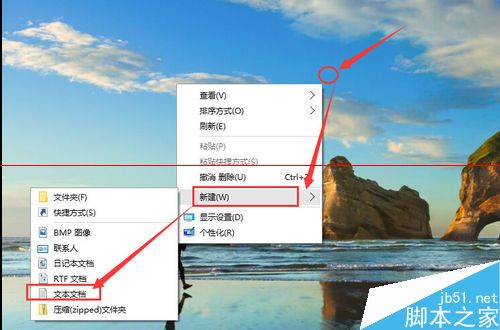
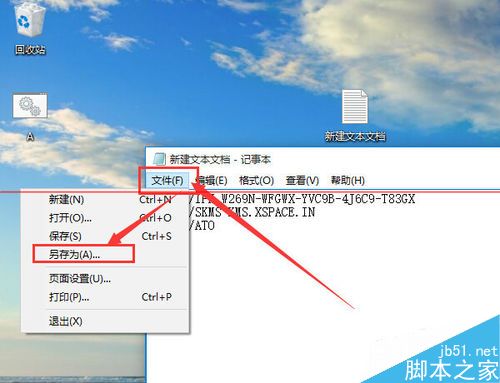
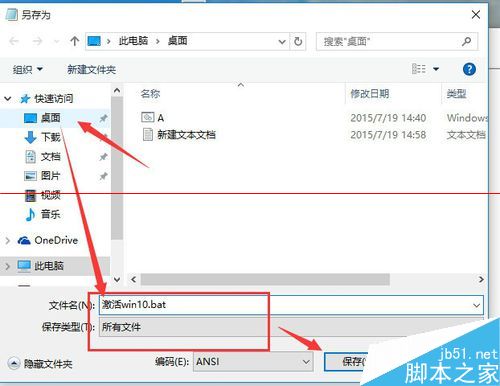
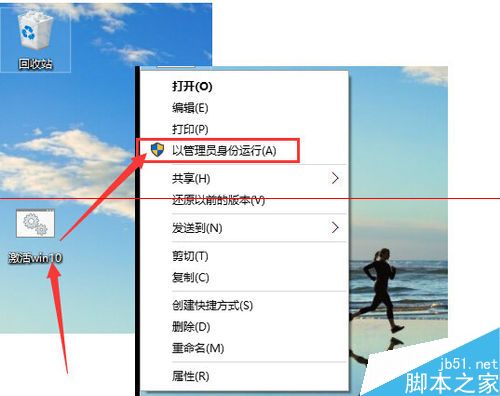
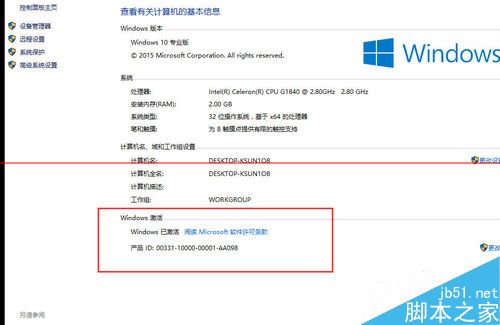
Windows 10 專業版 Build 10240 可透過 KMS 方式啟用。以下提供批次檔自動化啟用步驟。
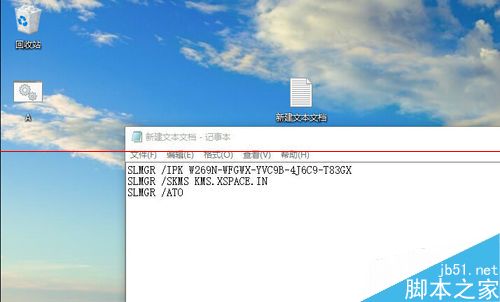
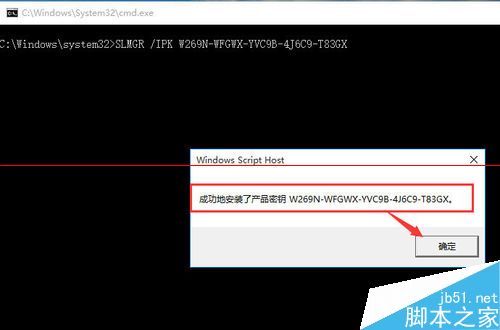
slmgr /ipk W269N-WFGWX-YVC9B-4J6C9-T83GX
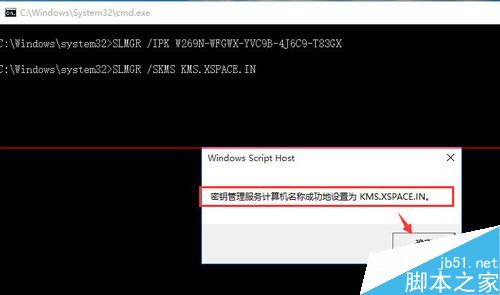
slmgr /skms kms.xspace.in
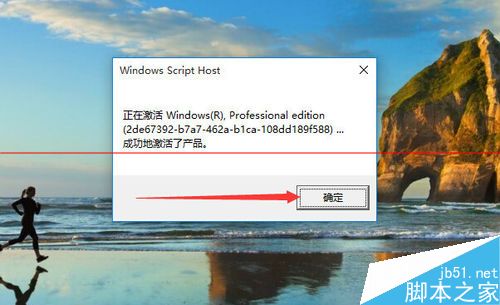
slmgr /ato
提醒:KMS 啟用屬大量授權機制,個人使用者建議購買正版授權。此法僅供測試學習參考。
Windows 8.1 查看作業系統版本號的三種方法
Win7 NumLock 鍵失靈?螢幕鍵盤開啟數字鍵盤暫時代替
Win7 禁用 USB 介面、群組原則限制 U 盤、第三方工具封鎖 USB 儲存裝置完整方案
Win10 周年更新手動升級完整教程:設定檢查更新、ISO 離線安裝、MCT 工具三法
Windows 內建 VPN 開機自動連線設定:捷徑放入啟動資料夾最簡單
Windows 10 開啟內建防火牆教學
微軟下架 Win10 官方 ISO 下載頁面 媒體建立工具仍可用
Win10 一週年更新預覽版 14361 安裝金鑰大全(僅供安裝/版本升級,不可激活)