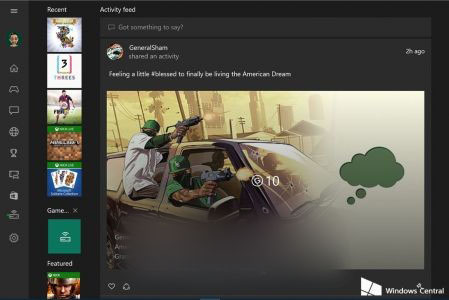
登入 Windows 10 版 Xbox 應用程式時若出現錯誤代碼 0x800488AB,錯誤視窗會建議前往 Xbox.com 登入,但實測無效。正確解決方法如下:
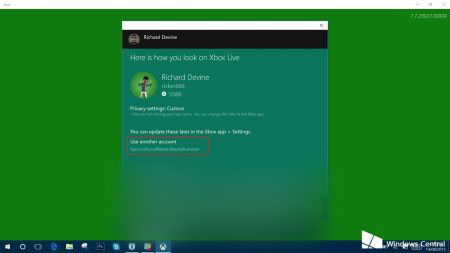
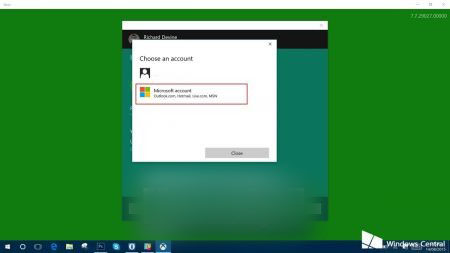
此方法可能不適用所有用戶,建議先嘗試。
Win8 關機螢幕關閉但主機仍運轉?關閉「快速啟動」徹底解決
Windows 10 創新幅度有限?核心價值在於全平台統一架構而非介面革命
解決 Windows 7 網路識別問題:停用/啟用網路介面卡重設連線
Win8.1/Win10 安裝卡在「正在安裝應用」怎麼辦?Ctrl+Alt+Del 一鍵跳過進入桌面
Windows 7 磁碟加密保護資料:BitLocker 完整啟用教學
Win8 修改截圖預設儲存位置至桌面:編輯登錄 HKEY_CURRENT_USER\...\Explorer\ScreenshotIndex 數值設為 1