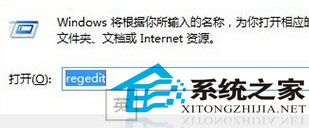
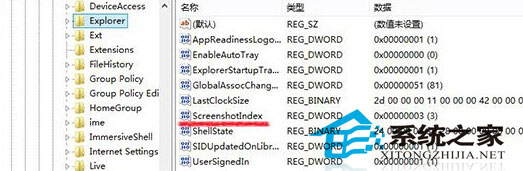
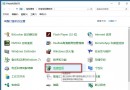
Win8 Win+PrintScreen 截圖預設存於深層資料夾,可透過登錄修改預設路徑為桌面。
regedit
HKEY_CURRENT_USER\Software\Microsoft\Windows\CurrentVersion\Explorer
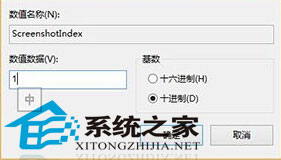
ScreenshotIndex
1
重開機後 Win+PrintScreen 截圖將直接儲存至桌面。
在 Windows/Mac 上重溫經典遊戲:模擬器、虛擬機器與原生卡帶轉接完整指南
Win8 防火牆關閉教學:圖文步驟快速上手
Win7 聽音樂看影片突發爆音雜音?登錄刪除 MMCSS 解決多媒體服務優先級衝突
Win10 操作小技巧 16 招:1/4 分屏、虛擬桌面、命令列支援 Ctrl+V、開始選單縮放、一鍵卸載、跨版本更新等
Win10 音量無法調節、系統音量圖示灰色無法點擊?修改登錄表恢復 Systray 服務
Win10 強制升級圖文教學:停用服務、清理快取、wuauclt 指令、檢查更新四步驟(需先預約升級)
Win7 區域連線 IPv4 無網路存取權限?分析 IP 段判斷故障點,三步排查修復
Win10 軟媒 WiFi 助手頻繁掉線?關閉無線網卡省電 + 電源計劃設「最高效能」穩定熱點