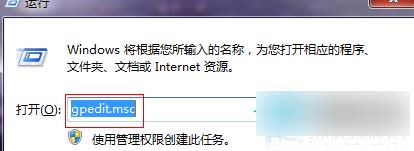
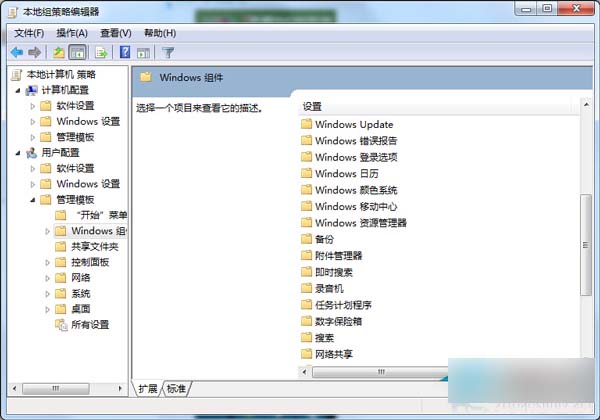
gpedit.msc
此操作可重置行動中心設定,解決無法開啟問題。
Win10 Build 9860 升級操作流程:僅能透過 Modern 介面「更新與復原」→「預覽版本」→「立即檢查」取得
Windows 10 RedStone 重大更新更多細節曝光 明年推出非功能大躍進
Win7 插入 USB 隨身碟電腦頓卡?services.exe 佔用資源過高解決方案
Windows 10 掃描功能使用教學:透過控制台「裝置和印表機」啟動掃描並匯入影像
Win7 以管理員身分修改其他使用者密碼:電腦管理→本地使用者→設定密碼
Windows 10 隱藏資料夾設定教學:屬性勾選隱藏屬性
Win8 無線網卡驅動安裝失敗?兩招快速搞定:裝置管理員更新 / 驅動精靈類工具
Win10 自带录音机使用教程:开始菜单 → 所有应用 → Windows 附件 → 录音机,一键录制保存