Windows XP Windows 7 Windows 2003 Windows Vista Windows 綜合教學 Linux 系統教學
Windows 10 Windows 8 Windows 2008 Windows NT Windows Server 電腦軟體教學
您现在的位置: Windows教程網 >> Windows教程 >  >> Windows 綜合教學 >> 關於 Windows

WinXP「新增/移除程式」面板顯示空白?修復教學

編輯:關於 Windows

WinXP 「新增/移除程式」面板空白問題解決方案

若 Windows XP 的「新增/移除程式」控制台開啟後顯示空白,可嘗試重新註冊相關系統元件來修復:

步驟 1:開啟命令提示字元

從「開始」功能表開啟「執行」,輸入 cmd 按 Enter。

步驟 2:依序執行註冊指令

在命令提示字元中逐行輸入以下指令,每行按 Enter:

regsvr32 Appwiz.cpl /s
regsvr32 Mshtml.dll /s
regsvr32 Jscript.dll /s
regsvr32 Msi.dll /s
regsvr32 Mshtmled.dll /s

步驟 3:重新啟動電腦

指令執行完成後,重新啟動 Windows XP,「新增/移除程式」即可正常顯示。
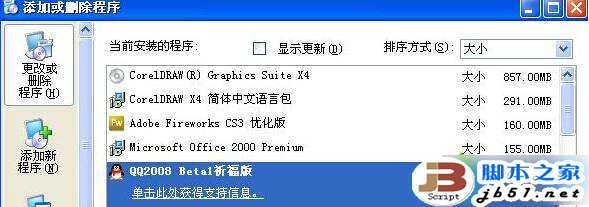
此方法可修復因系統元件註冊遺失導致的面板空白問題。

Copyright © Windows教程網 All Rights Reserved