Win10 Mobile 預裝「播客」應用(WP8.1 遺留),未出通用版(UWP),佔用空間且少用。新版預覽版支持直接卸載,需求時可商店重裝。
卸載方法
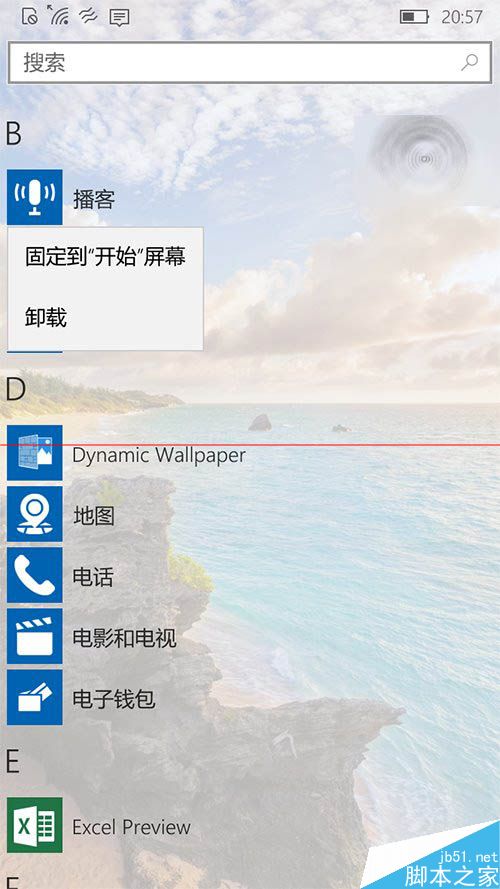
- 操作中心搜索「播客」/「Podcast」
- 長按/右鍵圖標 → 選擇「卸載」
- 確認卸載,圖標消失,空間釋放
重裝方法
- 打開 Microsoft Store (應用商店)
- 搜索「播客」/「Microsoft Podcasts」
- 點擊「獲取」/「安裝」

背景信息
- 原 WP8.1 系統應用,功能:訂閱 RSS/Atom 媒體流、在線/離線收聽
- 商店評分低,用戶少,微軟未開發 Win10 UWP 版
- Win10 Mobile 10512+ 版本開放卸載系統預裝應用權限
- 現代替代:Spotify、Apple Podcasts、小宇宙、喜馬拉雅等專業播客平台
歷史註記
Win10 Mobile 2019 年 12 月 10 日終止支持,Lumia 設備無安全更新。建議遷移至主流移動平台。