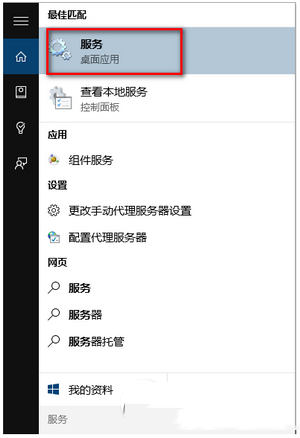
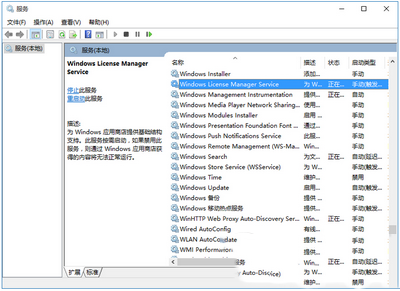
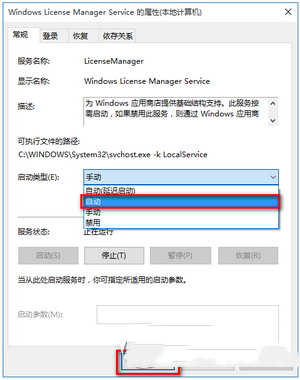
Windows 10 應用程式商店與 Modern 應用程式頻繁閃退,最常見原因是 Windows License Manager Service (WLMS) 服務未啟動。此服務負責為應用程式商店提供基礎架構支援,一旦停用將導致所有透過商店取得的內容無法正常執行。
完成上述設定後,重新啟動應用程式商店與相關 Modern 應用程式,閃退問題通常即可解決。若問題持續,建議進一步檢查系統檔案完整性(執行 sfc /scannow)或重設應用程式商店快取。
sfc /scannow
Win10 視窗背景太刺眼?修改登錄表將白底改為護眼豆沙綠
Win10 多项系统功能打不开?启用 Application Information 服务修复
Win10 快速映像升級安裝圖文教程:保留應用無痛升級
Win10 如何更改工作列顏色?個人化設定自訂主題色彩
Windows 10/8 應用程式商店 0x80072EE7 錯誤完整解決:DNS、Hosts、防火牆、代理伺服器逐項排查
Win10 內建「重設」功能:一鍵移除預裝軟體回歸純淨系統
Windows 7 解決程式回應時間過長:修改 WaitToKillAppTimeout 登錄值
Dyreza 木馬擴大攻擊 Win10 與 Edge,唯一解法:安裝安全更新