Windows XP Windows 7 Windows 2003 Windows Vista Windows 綜合教學 Linux 系統教學
Windows 10 Windows 8 Windows 2008 Windows NT Windows Server 電腦軟體教學
您现在的位置: Windows教程網 >> Windows教程 >  >> Windows 綜合教學 >> 關於 Windows

Win10 系統內建壁紙如何設定自動輪換?喚醒傳統控制台介面

編輯:關於 Windows

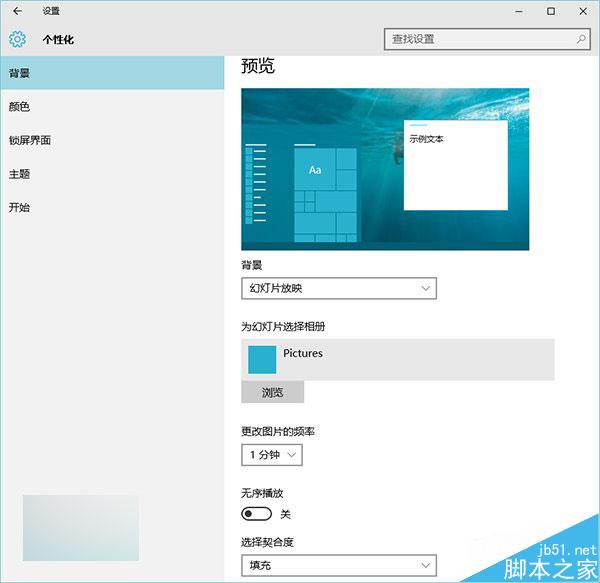
Win10 新版「設定」介面功能尚不完整,無法像舊版控制台那樣輕鬆設定系統內建壁紙自動輪換。透過特定指令喚醒傳統「桌面背景」視窗,即可享受完整的圖片位置分類與輪換設定功能。
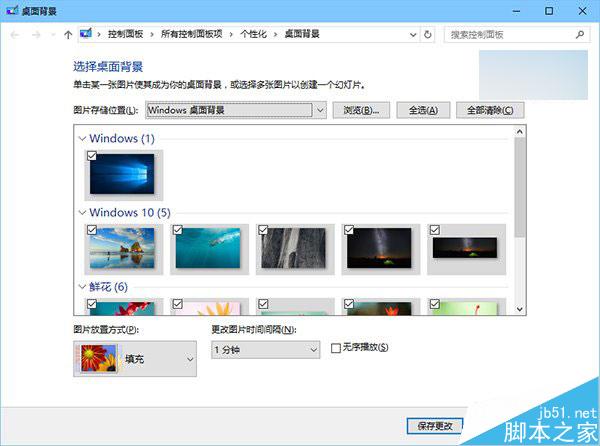
操作方法

  1. 按 Win+R 開啟「執行」。
  2. 輸入以下指令並確定:
    %windir%\System32\control.exe /NAME Microsoft.Personalization /PAGE pageWallpaper
  3. 即可開啟傳統版「桌面背景」視窗,於「圖片位置」下拉選單選擇「Windows 桌面背景」,設定輪換間隔與隨機順序。

優勢對比

傳統介面提供 預設分類(Windows 桌面背景、圖片庫、單色等),無需手動瀏覽尋找系統壁紙路徑;新版「設定」介面則需使用者自行定位資料夾,操作繁瑣。傳統介面讓系統內建壁紙自動輪換輕鬆實現。

提醒:每次開啟需重新執行指令;若將視窗釘選到工作列,再次點擊僅會開啟控制台主頁,無法直接進入桌面背景頁面。

Copyright © Windows教程網 All Rights Reserved