Windows XP Windows 7 Windows 2003 Windows Vista Windows 綜合教學 Linux 系統教學
Windows 10 Windows 8 Windows 2008 Windows NT Windows Server 電腦軟體教學
您现在的位置: Windows教程網 >> Windows教程 >  >> Windows 綜合教學 >> 關於 Windows

Win10 如何設定自動刪除臨時檔案?批次檔丟入啟動資料夾或排程器定時清理

編輯:關於 Windows

系統臨時檔案集中在 %tmp% (C:\Users\使用者名稱\AppData\Local\Temp),內建清理能力有限。自製批次檔放入啟動資料夾或工作排程器,實現開機/定時自動清理。

批次檔內容

@echo off
del "%tmp%\*.*" /s /q /f
FOR /d %%p IN ("%tmp%\*.*") DO rmdir "%%p" /s /q

部署方式

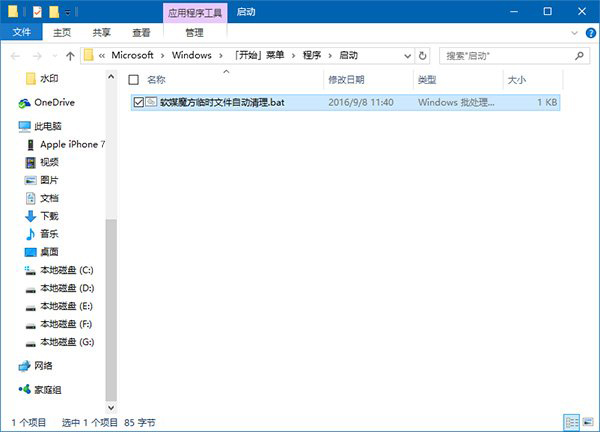
  1. 開機自動清理:
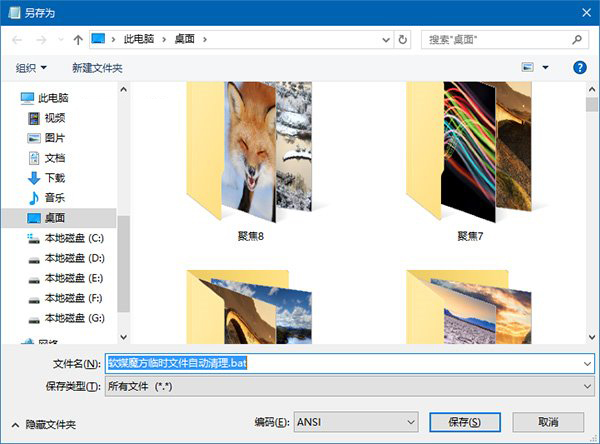
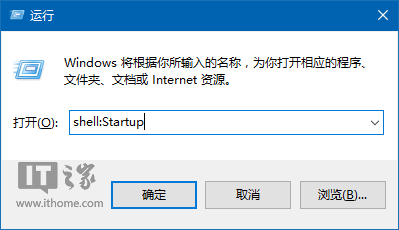
    Win + R → shell:Startup → 新增文字文件 → 貼上代碼 → 另存為 clean_temp.bat。
  2. 定時清理:
    控制台 → 系統與安全性 → 管理工具 → 工作排程器 → 建立基本任務 → 觸發條件(每日/每週) → 動作:啟動程式 → 選取 .bat 檔案。

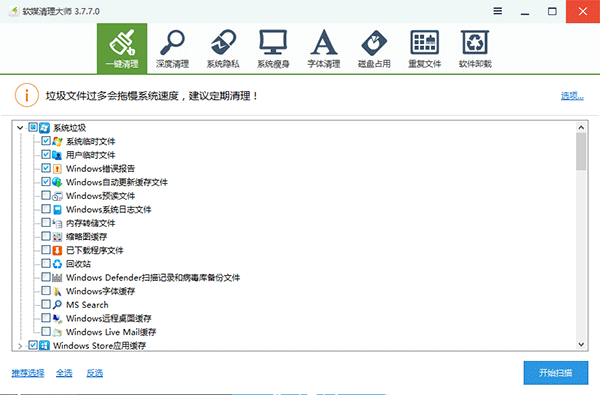
進階建議: 臨時檔只是垃圾冰山一角,定期使用「軟媒魔方」清理大師一鍵掃描所有系統/瀏覽器/第三方軟體垃圾更徹底。
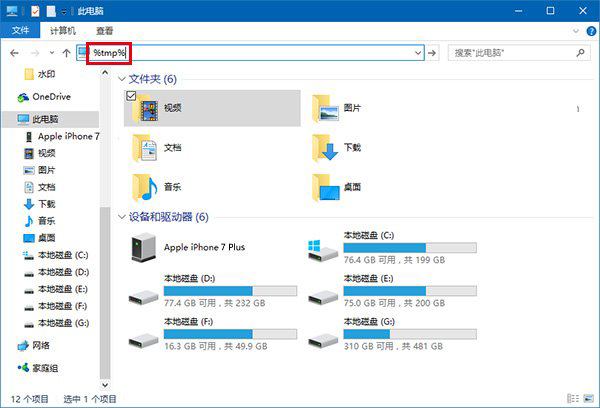
%tmp% 快捷方式

另存為 bat 檔案

shell:Startup 開啟啟動資料夾

批次檔放入啟動資料夾

軟媒魔方清理大師

Copyright © Windows教程網 All Rights Reserved