安裝語言包(.cab)時提示 Language pack is not of the same architecture as the system,原因單純:作業系統與語言包位元數不一致。
核心規則
- 64 位元 Windows 7 → 必須安裝 64 位元語言包(約 900 MB)
- 32 位元 Windows 7 → 必須安裝 32 位元語言包(約 600 MB)
- 跨位元安裝會被 DISM/套件管理器直接拒絕
確認系統位元
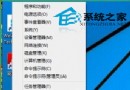
- Win+Pause → 系統類型:
64 位元作業系統 或 32 位元作業系統
- 或命令列:
wmic os get osarchitecture
取得正確語言包
- 微軟官方下載中心搜尋
Windows 7 Language Pack 選擇對應位元
- MSDN/VS 訂閱下載完整 ISO 內含所有語言包
- 檔名通常含
x64 或 x86 標識
安裝指令
dism /online /add-package /packagepath:D:\langpacks\zh-TW\lp.cab
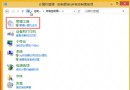
安裝完成後:控制台 → 區域和語言 → 鍵盤和語言 → 選擇顯示語言 → 登出/重開機生效。
常見誤區
- 以為語言包通用 32/64 位 → 錯誤
- 用 32 位元工具 (如 Vistalizator) 強制安裝 64 位元包 → 系統不穩定
- 語言包與 Windows 7 版本 (Home/Pro/Ultimate) 必須匹配,Home Premium 不支援語言包切換(需 Ultimate/Enterprise)
位元數匹配,語言包安裝零失敗。