Win10 建立還原點報錯 0x80042306,解法:
- Win+R 輸入
regedit →「檔案 → 匯出」備份註冊表。
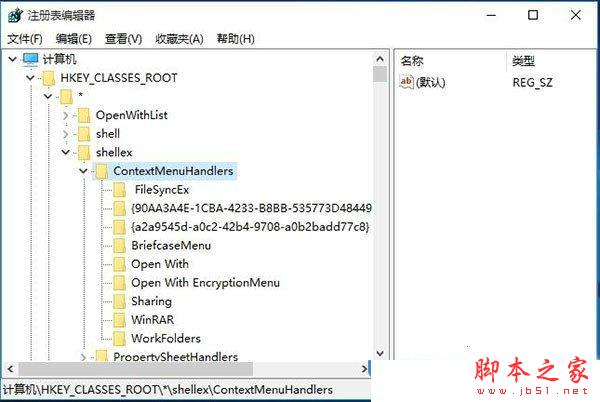
- 展開
HKEY_CLASSES_ROOT\*\shellex\ContextMenuHandlers → 刪除可疑項目(如第三方右鍵選單殘留)。
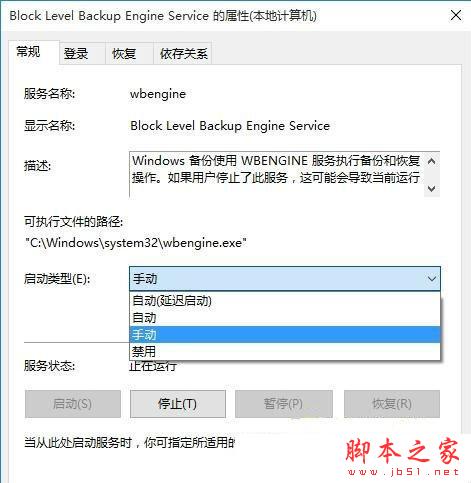
- 右鍵「電腦」→「管理」→「服務」→ 找到並啟用下列服務,啟動類型設為「手動」或「自動」:
• Background Intelligent Transfer Service
• Microsoft Software Shadow Copy Provider
• Block Level Backup Engine Service
• Windows Backup
• Volume Shadow Copy
- 重新開機後即可正常建立還原點。