透過網路升級 Windows 8 會保留舊系統檔案於 C:\Windows.old,動輒佔用 30-40GB 空間。若確定無需回滾,可使用內建「磁碟清理」工具安全移除。
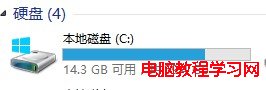
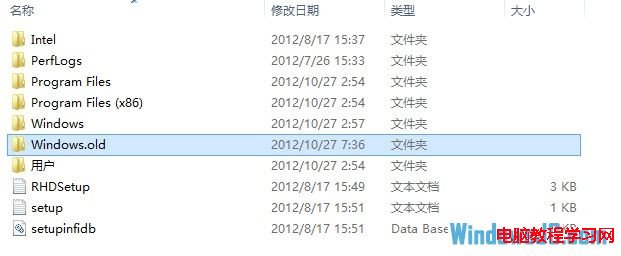
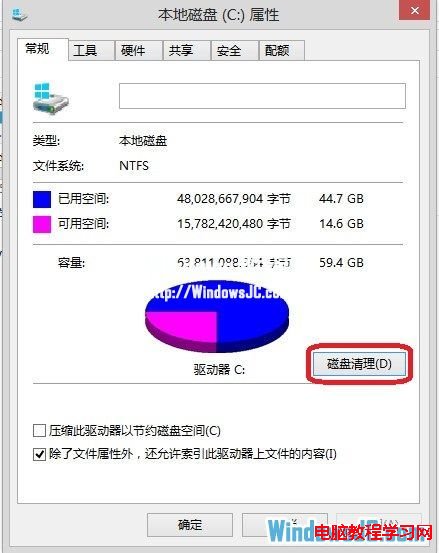
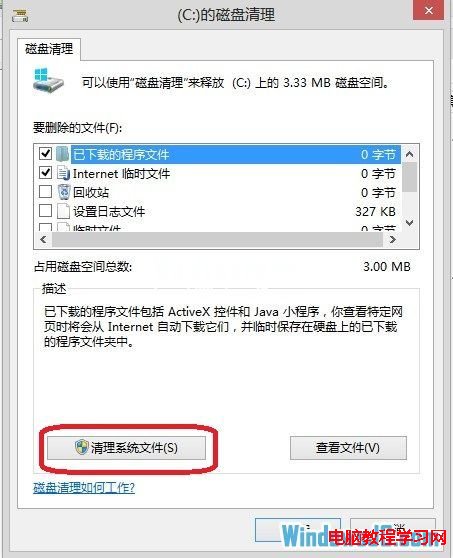
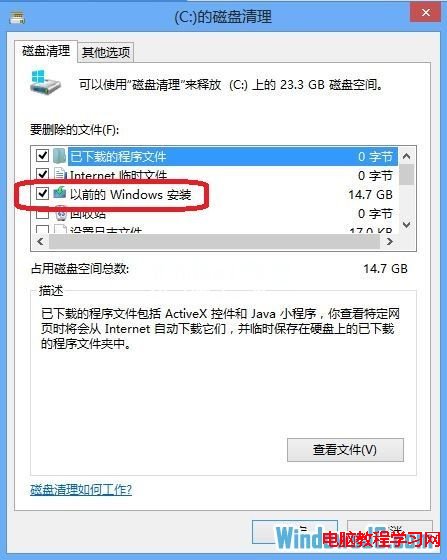
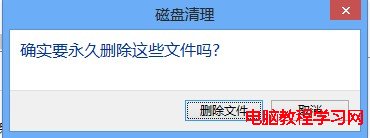
刪除完成後 C 槽將釋放大量空間。注意:執行此操作後將無法使用「回復」功能還原至升級前的系統版本,請確認無重要資料遺留於舊系統分區再執行。
Win10 執行 GrADS 出現 FAST_CWD pointer 錯誤?設定環境變數與 Xming 完整解決流程
Win8/8.1 移除桌面捷徑小箭頭:批次檔一鍵修改登錄表與圖示快取
Windows 8 出現 ndis.sys 藍屏死機?病毒、驅動、軟體衝突、硬體多維度排查方案
微軟釋出 Windows 10 技術預覽版官方英文使用者指南(PDF 下載)
Win10 Build 10125 新特性演示視頻:平板模式後退鍵、固定內容到開始菜單、圖標美化
Windows 10 無線網路頻繁斷線、不自動重連?兩項設定徹底解決
Win10 關閉檔案總管左側導覽列 USB 隨身碟顯示:註冊表重新命名 DelegateFolders GUID 即可隱藏