桌面出現無法右鍵刪除的「我的 Bluetooth 位置」捷徑,實為藍牙快捷方式,需修改登錄檔移除。
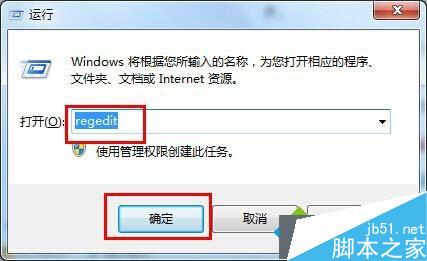
regedit
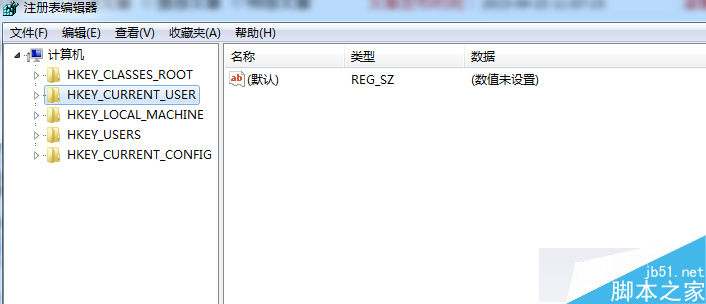
HKEY_LOCAL_MACHINE\SOFTWARE\Microsoft\Windows\CurrentVersion\Explorer\Desktop\NameSpace
{6af09ec9-b429-11d4-a1fb-0090960218cb}
簡單修改登錄檔即可徹底移除頑固圖示。
Win7 桌面背景圖片無法全螢幕顯示?設定「拉伸」模式解決
Windows XP 出現「指定的網路名稱不再可用」?啟動三大關鍵服務即可修復
Win7 最好用的啟用工具排行:小馬 OEM7、Windows 7 Loader、RemoveWAT 三大神器對比
Win8 調整螢幕重新整理率解決畫面抖動:桌面右鍵→螢幕解析度→進階設定→監視器
Windows 10 OEM U 盤上手體驗:16GB 隨身碟內含 4 版本映像、壁紙、宣傳片,安裝即永久啟用正版
Windows 10 輸入法無法啟動、只能打英文?執行 ctfmon.exe 立即修復
Win7 登入畫面鍵盤失效無法輸入密碼?螢幕鍵盤 + 登錄修復雙管齊下
Win8 如何取消開機動畫?系統屬性效能設定關閉動畫效果