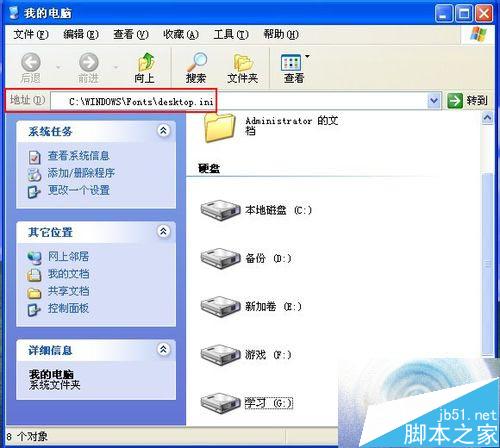
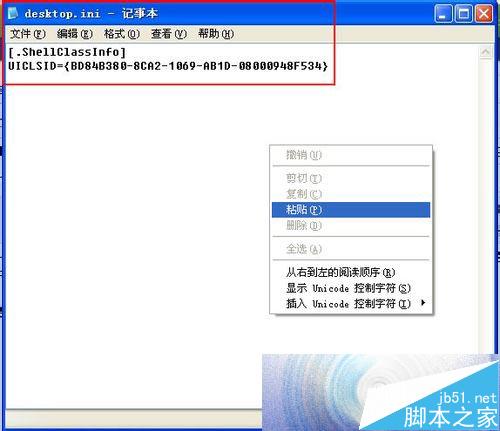
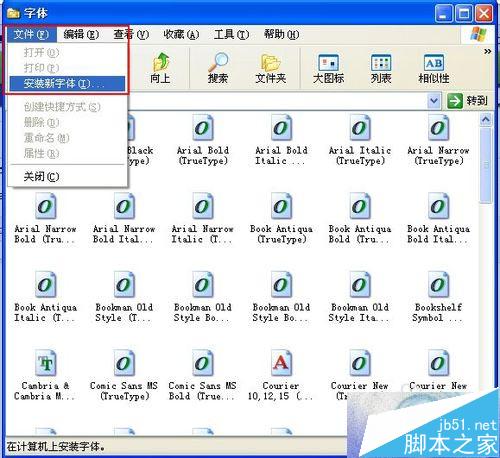
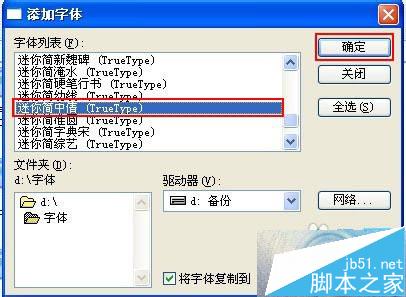
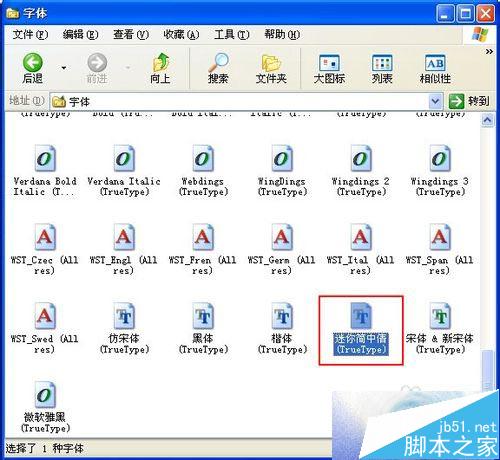
WinXP 安裝新字型無反應、無「安裝新字型」提示,通常因 C:\WINDOWS\Fonts\desktop.ini 內容遺損。
C:\WINDOWS\Fonts\desktop.ini
[.ShellClassInfo]
UICLSID={BD84B380-8CA2-1069-AB1D-08000948F534}
修復 desktop.ini 即可恢復字型安裝功能。
Win10 正式版部分程式顯示模糊怎麼辦?高 DPI 縮放設定解決第三方軟體模糊
Windows 8 通訊偵測自動降低其他音量:聲音設定圖解教學
Win7 Word 插入 Excel 試算表物件教學:保留公式可雙擊編輯
Windows 7 自訂電源計畫建立與刪除完整教學
Windows 7 系統最低硬體需求與實際建議配置對照分析
Windows 10 開啟工作管理器三大法:搜尋、快捷鍵、執行指令
Windows 8 刪除無效光碟機代碼教學:透過磁碟管理移除幽靈磁碟機代號
Windows 8 如何使用磁碟清理與磁碟最佳化 (碎片整理)?內建工具完整操作指南