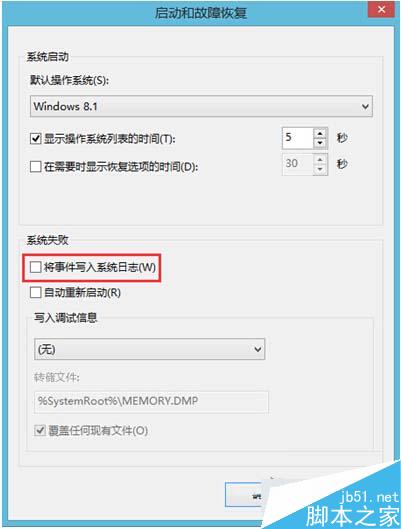
此方法不會直接修復遺失的啟動檔案,但能幫助記錄錯誤細節,輔助後續修復(如使用 `sfc /scannow`、`DISM` 或修復開機磁區)。若系統已無法進入桌面,需改用安裝媒體進入修復環境處理。
Win7 輸入法快捷鍵失靈解決:Word 設定與系統熱鍵自訂雙管齊下
Win8 Modern遊戲存檔失敗?新增英文帳號登入即可解決
Win7 如何開啟 ODBC 資料來源管理員?控制台「系統管理工具」或系統目錄 SysWOW64 兩條路徑
Win10 睡眠喚醒需要密碼?設定/取消睡眠模式登入密碼教學
Win10 升級提示搶鏡美國氣象直播:女主播幽默化解「我該怎麼辦?開心嗎?」
Win7 雙擊捷徑提示「無法驗證建立此檔案的發行者」解決方案:以系統管理員身分執行
微軟推出《蹦詞打詞》App 練習 Win10 Mobile 中文滑鍵輸入,可對戰排名分享
解決 Windows 10 全螢幕截圖黑屏問題(登錄修改 Timeout 值)