撥號上網出現「找不到調變解調器」通常為三類原因:網路介面卡被停用、缺少網卡驅動、撥號模式錯誤。
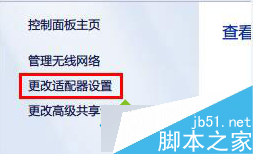
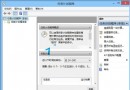
「網路連線」→ 右鍵網卡 → 「啟用」
下載對應驅動或用「驅動精靈萬能網卡版」離線安裝
ADSL 撥號必須選擇 PPPoE 模式,非其他選項
Win10 一鍵切換電源計劃:註冊表添加右鍵菜單實現平衡/高性能/節能秒切
微軟官方教學:登錄修改封鎖 Win10 升級通知圖示(GWX),Win7/8.1 適用
Win10 開機黑畫面久、開機慢?雙顯卡筆電必看:停用獨顯驅動 + 禁止自動安裝驅動徹底解決
善用 Windows 8 複製檔案暫停/繼續功能:多任務複製管理器
Win10 平板版操作演示影片:Continuum 無縫切換、觸控優化、任務切換流暢
Win7 360 瀏覽器滾動條卡頓?NVIDIA 控制台指定核顯解決
Win10 如何徹底移除 OneDrive?四階段完整教學:禁用自啟、群組原則、解除安裝、清除導覽列圖示
Windows 7 建立系統修復光碟完整教學:備份關鍵救命稻草