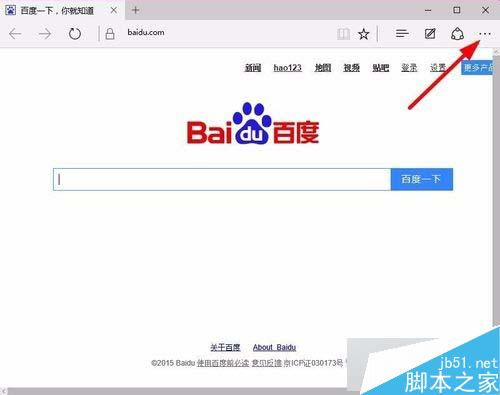
Edge 內建深色主題,適合夜間瀏覽減少眼部疲勞。五步驟快速切換,介面即刻變暗。
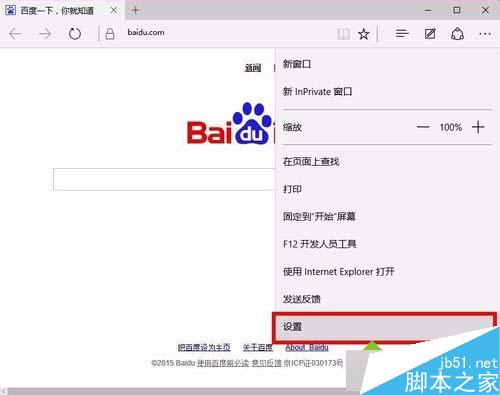
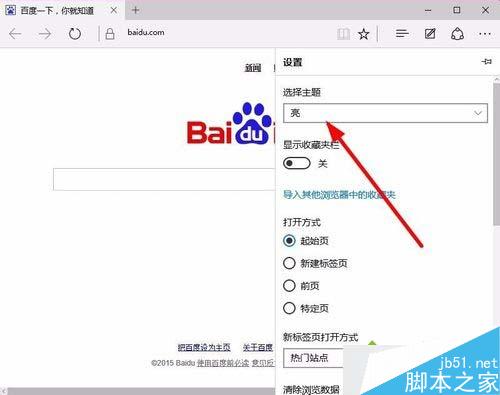
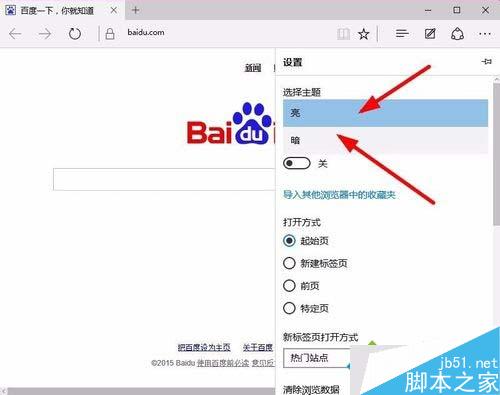
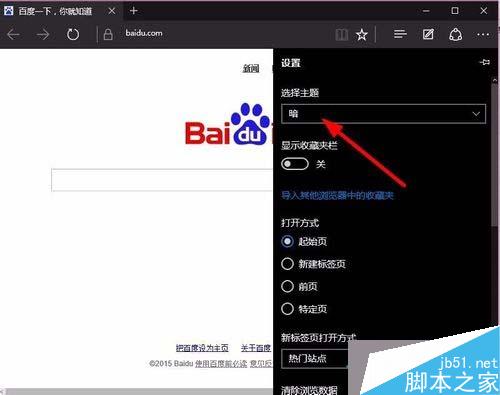
此設定僅影響 Edge 瀏覽器,不改變系統整體主題。
Windows 7 小工具 (Gadgets) 重返 Windows 10:Gadgetarian 安裝完整教學與 DPI 修復
Windows 8 透過本機安全性原則停用 EFS 加密檔案系統
Win7 32 位系統無法識別 DVD 光碟機?非硬體故障,註冊表修復 UpperFilters/LowerFilters 即可解決
Win10 移除通知區域網路圖示黃色驚嘆號:註冊表新增 NC_DoNotShowLocalOnlyIcon=1
Windows 10 Mobile 內建 Office 提示訂閱 Office 365 的暫時解決辦法
Windows 8 應用程式與電腦設定變更教學:超級按鈕「設定」一站式管理
Windows 7 超實用 50 項功能與技巧大全 (第 1-20 項):電腦守衛、螢幕校準、AppLocker、ISO 燒錄、視窗靠邊、快速啟動欄等