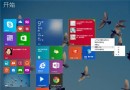
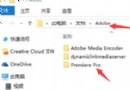
Windows 10 Mobile 與 10.1 吋以下平板預載的 Office Mobile 應為完整功能免費版,但部分使用者升級後仍被要求訂閱 Office 365。經測試,以下暫時性操作可繞過檢查並啟用編輯功能:
此為暫時性規避方法,微軟後續更新可能會修正此問題。若長期無法使用,建議檢查 Microsoft 帳戶授權狀態或重新安裝 Office Mobile。
Win8.1 4 月更新安裝失敗(錯誤 800F0922),Win7/10 未受影響
Win10 QQ 語音/視訊聲音太小?兩大解決方案完整教學
Win10 如何啟用快速啟動?控制台電源選項 + 群組原則雙重設定,解決開機黑屏 30 秒、啟動緩慢問題
Windows 8 磁碟健康狀態四種模式:線上健康、需點檢、需掃描、需修復
Win7 關閉 Win 鍵登錄檔設定教學
電腦開機慢怎麼辦?四大優化方向徹底解決
Win10 建立網路磁碟機對應教學:圖形介面與 CMD 兩種方法
Win10 RS1 預覽版 14267 怎麼樣?上手操作體驗視頻