Win7 透過登錄檔禁用 Win 鍵:
regeditHKEY_LOCAL_MACHINE\SYSTEM\CurrentControlSet\Control\Keyboard LayoutScancode Map (無則新增二進位值) → 設定資料:00 00 00 00 00 00 00 00 03 00 00 00 00 00 5B E0 00 00 5C E0 00 00 00 00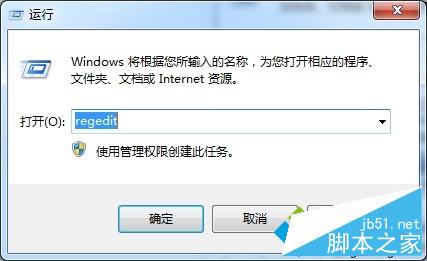
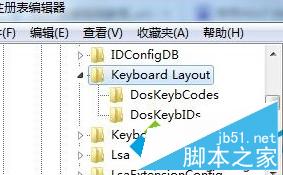
遊戲玩家防誤觸 Win 鍵常用技巧。
Windows 8 系統搜尋軟體雙管齊下:應用商店與萬能網盤搜尋工具
Win10 如何用指令實現定時關機/取消關機?無需第三方軟體
微軟 Windows 10 官方中文宣傳片翻譯慘不忍睹,網友自製版本更通順
Win10 Build 10547 支援切換多組 Insider 帳號 + 暫停接收預覽版
微軟釋出 4 支 Windows 10 最新宣傳影片:誰知道明天會發生什麼?我們提供你需要的工具
XP 系統 Twain 掃描提示「成像裝置無法初始化」?更新 HP LaserJet 3052 驅動程式即可修復