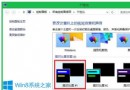
Windows 7 全新安裝後桌面預設只有「回收站」圖示。「電腦」(我的電腦)、「網路」(網上鄰居)、「控制台」、「使用者的檔案」等常用系統圖示需手動開啟。本文提供完整設定步驟。
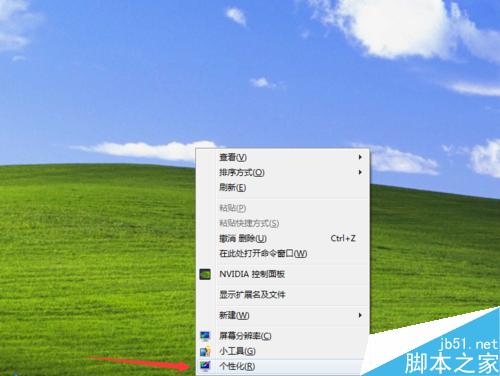
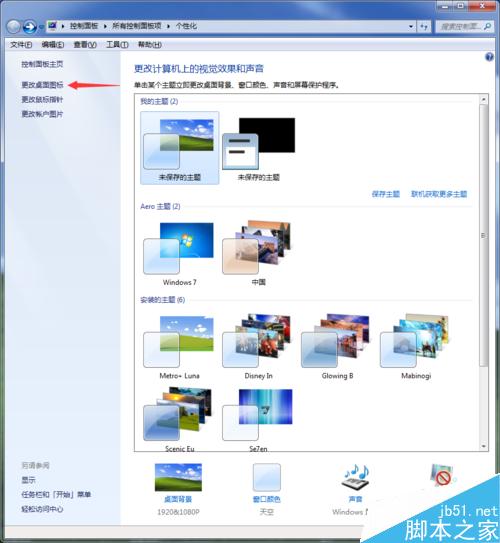
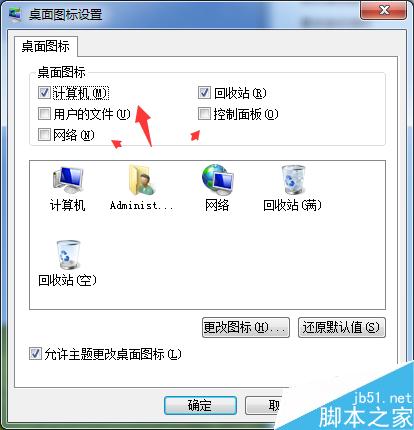
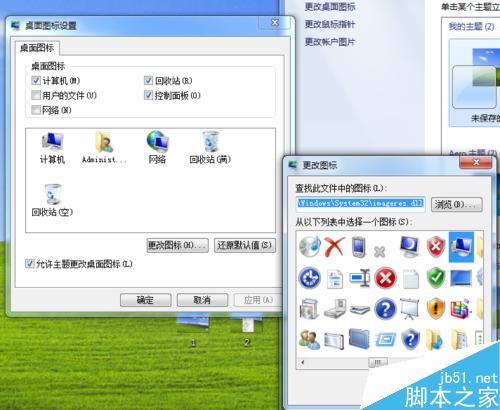
「設定」→「個人化」→「主題」→ 「桌面圖示設定」→ 勾選所需圖示 → 確定。
Windows 磁碟檔案系統完整比較:FAT、FAT32、NTFS、exFAT 優缺點與選擇指南
Windows 7 升級 Windows 10 錯誤 0xC1900101-0x30017 解決方案:驅動先行策略
Windows 10 如何關閉定位服務 (位置服務) 完整教學
Win10 內建 OpenSSH 啟用完整教學:安裝、設定與連線測試
Win7 提示「系統資源不足」四大通用解法:禁用啟動項、加大虛擬記憶體、預留硬碟空間、用記憶體管理工具
Windows 10 Win 鍵 20 個超實用快捷鍵大全:一鍵呼叫小娜、虛擬桌面、螢幕錄製