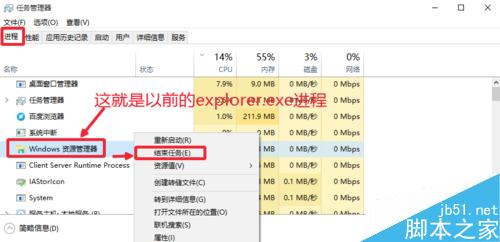
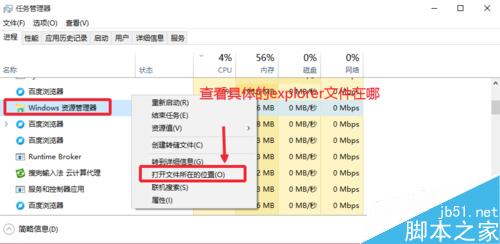
Win10 任務管理器的「進程」分頁預設以中文顯示,explorer.exe 顯示為 「Windows 資源管理器」,導致習慣尋找英文名稱的用戶以為進程消失。實際位置仍在 C:\Windows\explorer.exe,與 Win7/XP 相同。
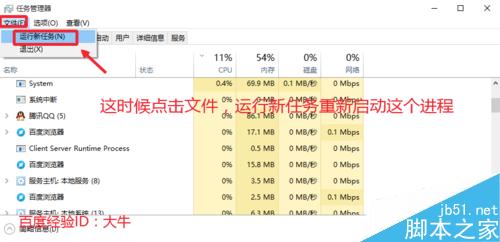
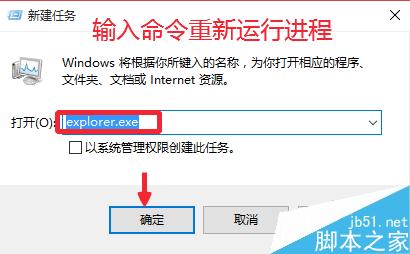
方法一:傳統手動重啟
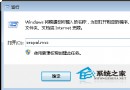
explorer.exe → 確定,桌面恢復。
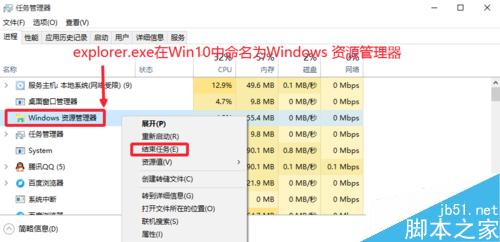
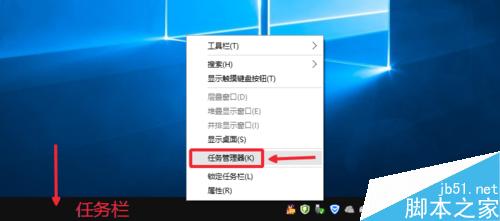

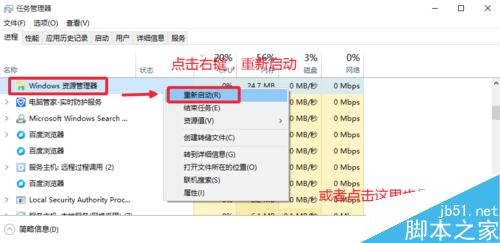
方法二:一鍵重啟(Win10 專屬)
右鍵「Windows 資源管理器」 → 「開啟檔案位置」 → 導向 C:\Windows\explorer.exe,確認檔案未遺失。
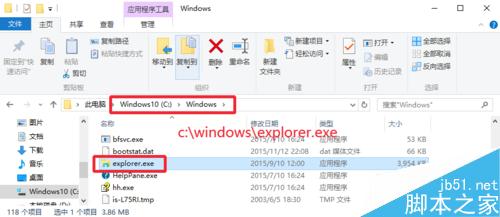
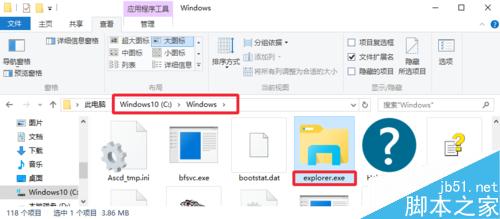
若開機桌面空白、圖示消失,多半是 explorer.exe 未自動啟動,可嘗試從他機複製該檔案至 C:\Windows\ 修復。