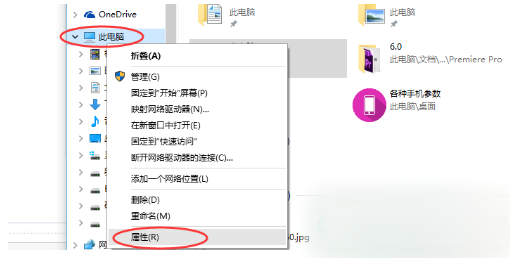
安裝大量字型若全複製到 C:\Windows\Fonts 會壓縮系統碟空間、拖慢效能。Win7 內建「以捷徑方式安裝字型」功能,可將字型檔留在其他磁碟,僅在系統建立捷徑引用。
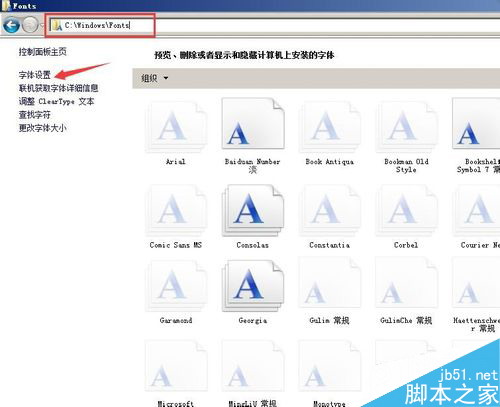
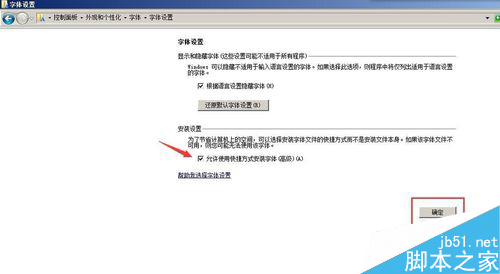
C:\Windows\Fonts → 左側「字型設定」 → 勾選 「允許使用捷徑安裝字型」。
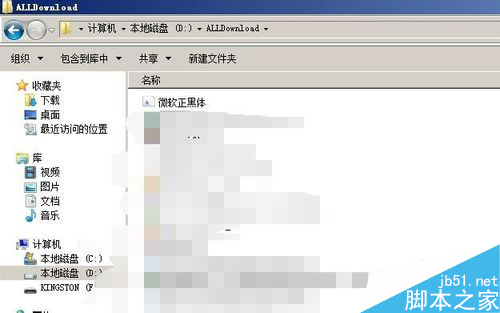
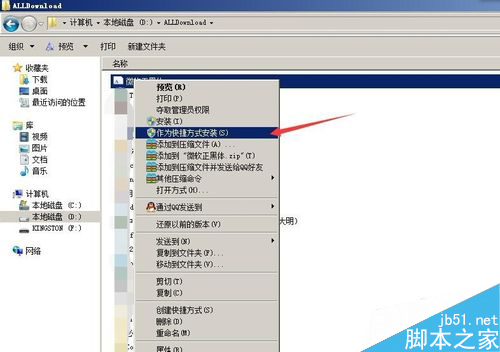
此法不佔用系統碟空間,字型管理更彈性,適合設計師、排版人員大量字型需求。
DiskGenius 分區備份完整教學:三種備份模式、壓縮選項與增量備份詳解
Windows 10 迄今最大福利:Build 10147 支援從 Win 7/8/8.1 直接降級,免費升級用戶獲「後悔藥」
Win10 開發系列第 5 彈:UWP 應用程式新增畫布/數位墨水與語音輸入支援
Win10 Build 10049 Spartan 瀏覽器上手評測影片:介面極簡、UA 偽裝 Chrome 39/Edge 12、HTML5 375 分、整合 Cortana、網頁筆記
Windows 8.1 更新後 IE11 無法開啟?修復登錄權限解決教學