Windows XP Windows 7 Windows 2003 Windows Vista Windows 綜合教學 Linux 系統教學
Windows 10 Windows 8 Windows 2008 Windows NT Windows Server 電腦軟體教學
您现在的位置: Windows教程網 >> Windows教程 >  >> Windows 綜合教學 >> 關於 Windows

Win10 瀏覽器無法上傳圖片提示 Adobe Flash Player 不工作?啟用瀏覽器 Flash 設置或換瀏覽器

編輯:關於 Windows

Win10 自帶 Flash Player (IE/Edge 內嵌),但 Edge/IE 設置中 Flash 默認可能被禁用,導致 B2B 網站上傳圖片 (依賴 Flash) 失效。修復:

啟用 Edge/IE Flash 設置

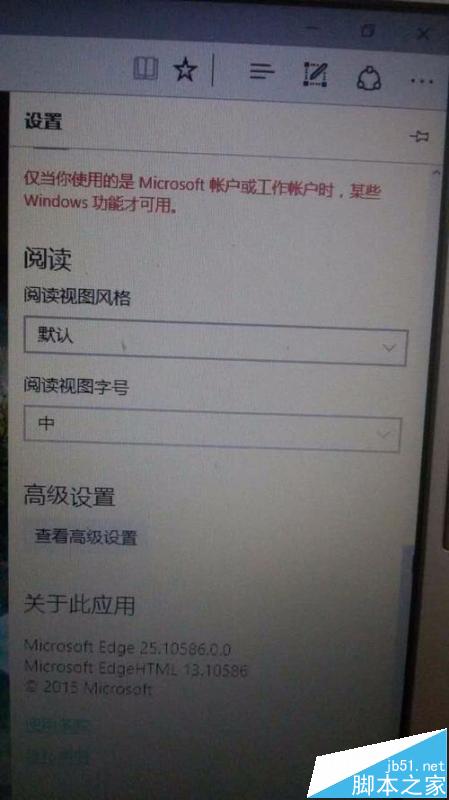
  1. Edge/IE 右上角「···」/齒輪圖標 →「設置」。
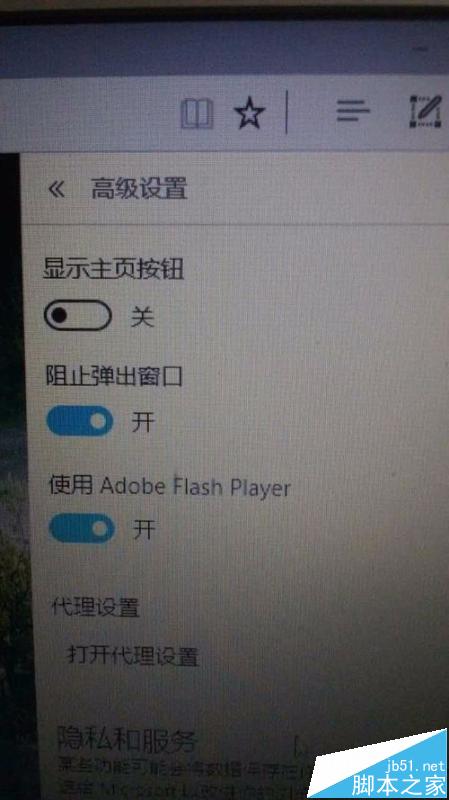
  2. 下拉找到「高級設置」/「管理加載項」。
  3. 找到 Adobe Flash Player 開關 → 切換為 「開啟」。
  4. 關閉瀏覽器重新打開,刷新頁面,上傳功能恢復。

Flash 無法運行提示

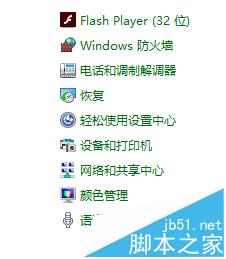
控制面板 Flash 圖標

專用協載工具

瀏覽器設置入口

高級設置

Flash 開關

開啟 Flash 效果

Win10 Flash 為系統組件,**無需/無法單獨協載重裝** (協載後系統會自動恢復)。若啟用後仍失效,可能與安全軟件衝突,**建議直接換用 Chrome/Firefox 等現代瀏覽器** (內置 Flash/PPAPI 支持更好),別在舊技術上浪費時間。Flash 已于 2020 年底停止更新,長期方案是推動網站遷移至 HTML5 上傳組件。

Copyright © Windows教程網 All Rights Reserved