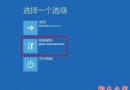
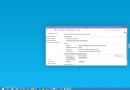
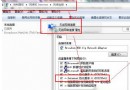
Windows 10 家用版 (1511 版本 10586 以上) 可直接在「設定」中輸入專業版金鑰升級,無需重灌:
重要提醒:
Win8 開機現「Start#ZHS」怪字?第三方字體替換系統字體導致,覆蓋原版字體即可修復
Win7 C 槽突然爆滿三大解法:移動虛擬記憶體、關閉休眠、磁碟清理刪除還原點
Win7 更新補丁卡住無回應?三大解法:耐心等待、強制重開機、重灌/還原系統教學
Win10 內建指令建立 Wi-Fi 熱點:netsh wlan hostednetwork 完整教學(含網際網路共用設定)
Windows Update 驅動程式更新導致 FTDI USB 轉序列晶片裝置變磚:仿製晶片被寫入無效 PID
Win10 SDK Build 10158 釋出:新增感知裝置、進階照片捕捉、照片匯入 API